
Home01 Work02 About03 Contact04 Let’s Connect
Laptop on desk showing C360

C360

A complete redesign of Gainsight's flagship customer intelligence view, end user experience, admin configuration, Share C360, and building new external integration.

Product Designer B2B SaaS Customer Success
What is C360?

What is C360?

Its a comprehensive view of a customer that includes all of their interactions with the business, from sales to support, providing businesses a single source of truth for customer data.

1000+
Customers empowered to deliver exceptional experiences

360 view of each customer, including their purchase history, support tickets, and engagement with your product.

Identify opportunities to improve the customer experience for increased sales and renewals.

Identify at-risk customers and take action to prevent churn.
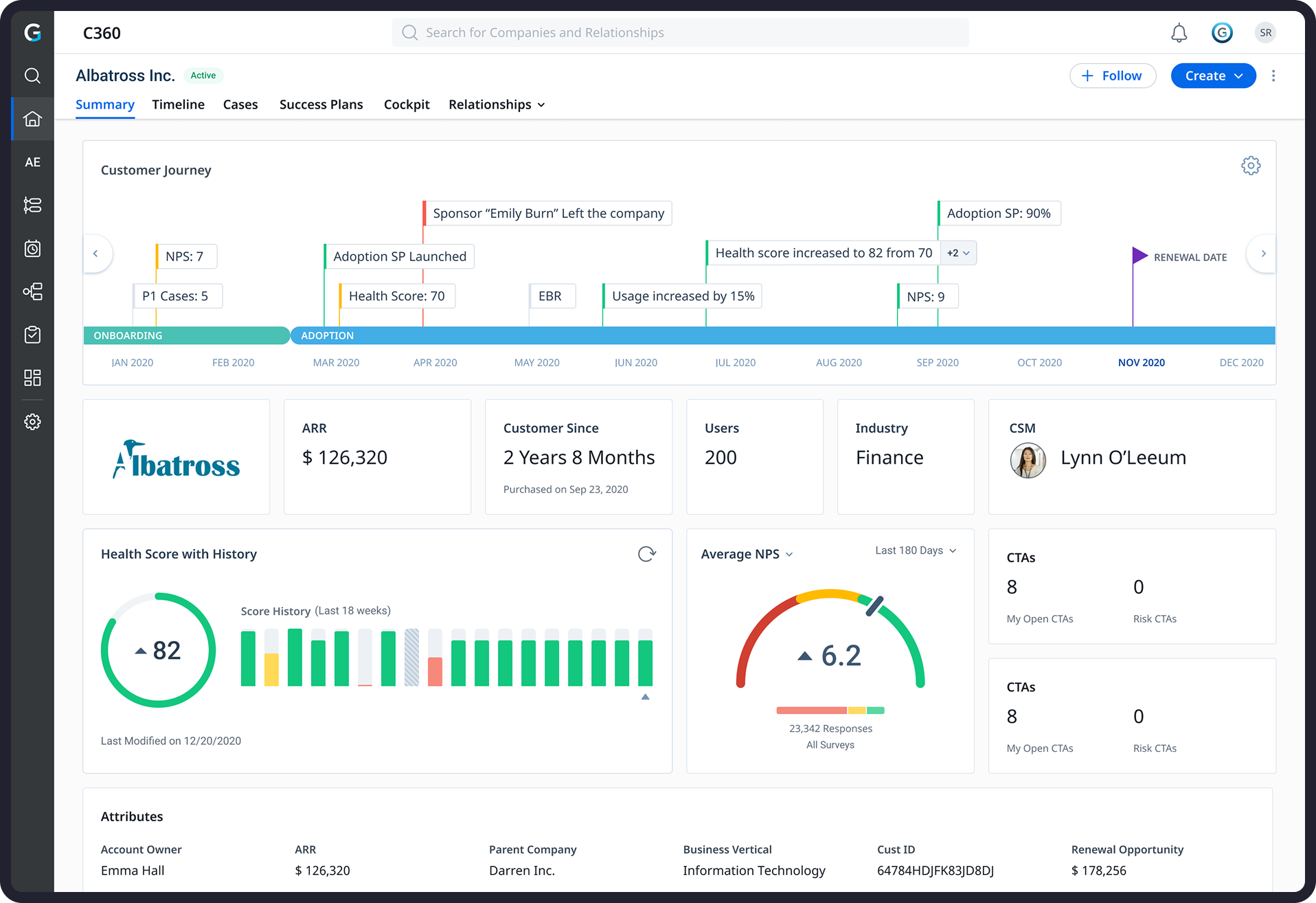
C360 dashboard
Areas of Focus

Areas of Focus

Redesign illustration
01
Redesign the End user and Admin Experience

Review and build upon the designs created by the previous designer for the key End user and Admin flows.

Integrations illustration
02
External integrations with C360

Optimize the designs to seamlessly integrate with Zendesk, Zoom, and Salesforce.

Share C360 illustration
03
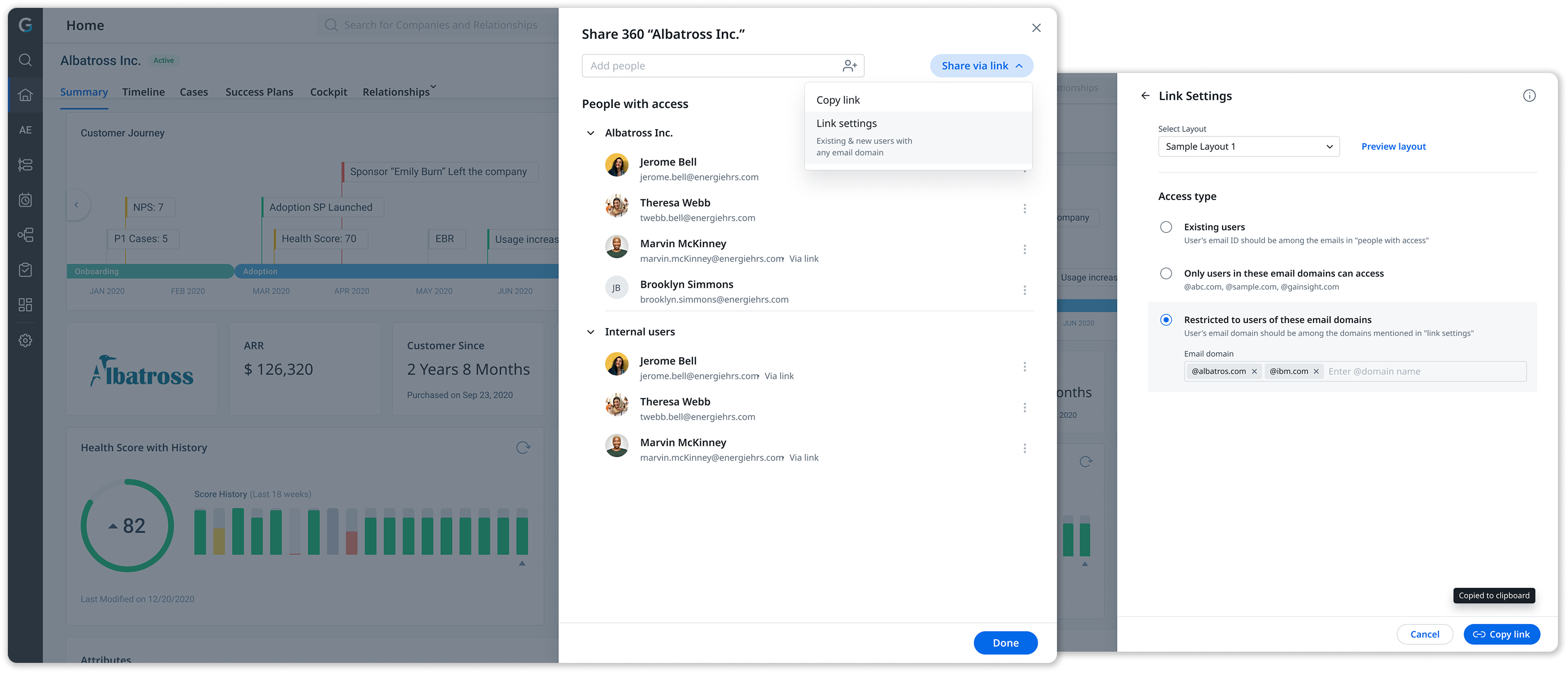
Redesign of Share C360

Revamp the C360 share experience to be more intuitive and user friendly, using the new Horizon design system.

Design Process

My design process

I was involved from reviewing prior research all the way to supporting developers until launch.

My design process, while not always linear, included these key steps at different stages of this project. More so, I worked on multiple overlapping projects.

01
Review prior research

Reviewed findings from user conversations led by designers and PMs before I joined and conducted my own for further understanding.

02
Analyze competitors

Compared and analyzed several customer success product dashboards.

03
Identify opportunity areas

Identified opportunity areas and prioritized them from a design and business standpoint.

04
Ideate and iterate

Brainstormed and worked on multiple iterations in the form of wireframes, and high-fi mockups.

05
Review with stakeholders

Led several rounds of reviews with internal & external stakeholders to evaluate my ideas.

06
Handoff to developers

Supported the developers in resolving bugs and reviewing fit & finish before deployment.

Module 01 - Redesign Dashboard Experience

The designs were outdated with a very rigid and un-intuitive user experience.

01
Poor Data Visualization

Outdated and non-interactive data visualizations limited users' ability to explore and manipulate the data, hindering deeper analysis and insights.

02
Limited Customization Options

Users feel constrained by the lack of customization options preventing them from tailoring the interface and data display to align with their specific workflows.

03
Complex Admin Configuration

The admin experience was really inefficient, cluttered and outdated, making it hard to create the layouts.

04
Inconsistent User Experience

Inconsistent UI, interactions, and terminology across C360 sections cause confusion, hindering efficiency and learnability.
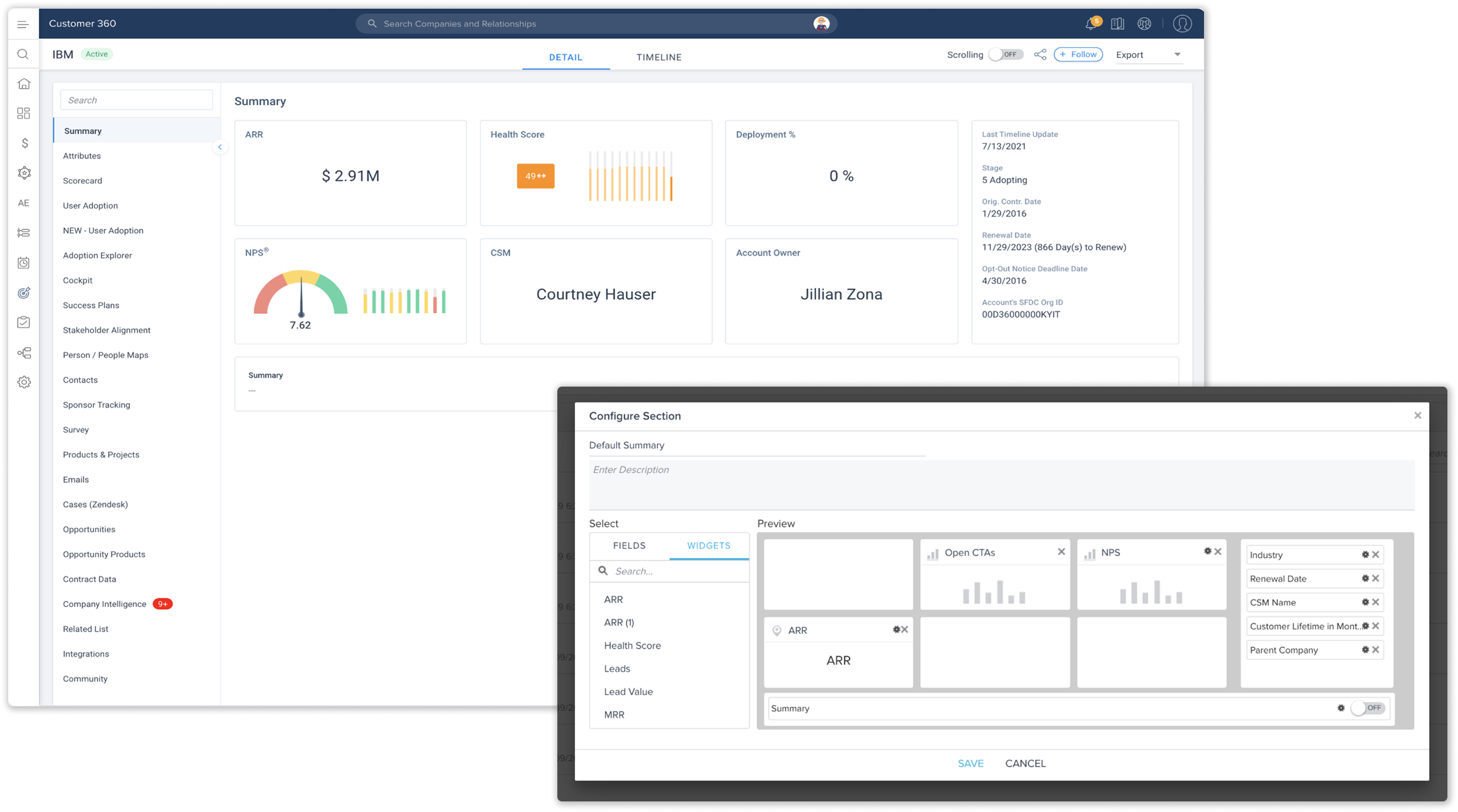

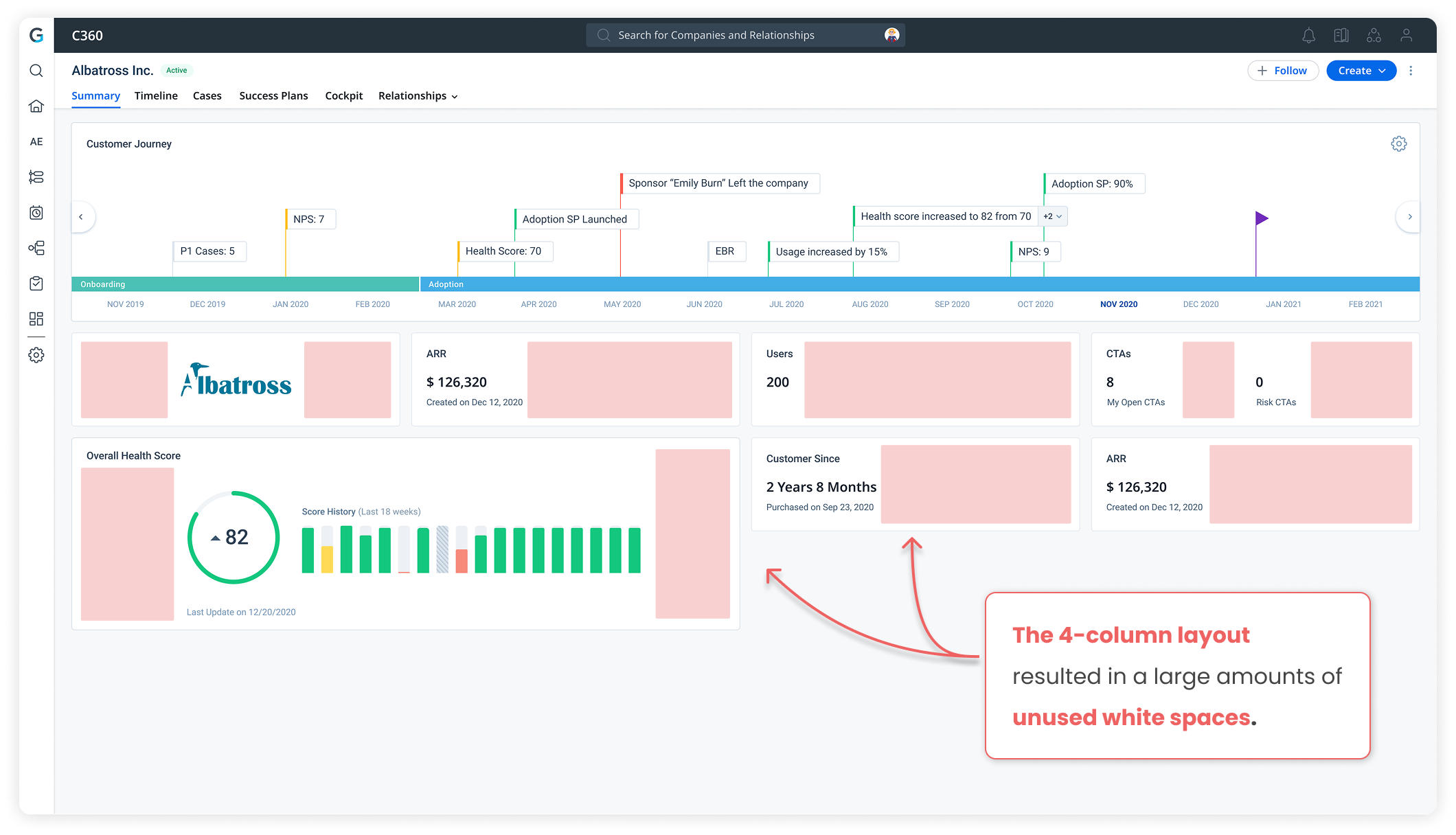
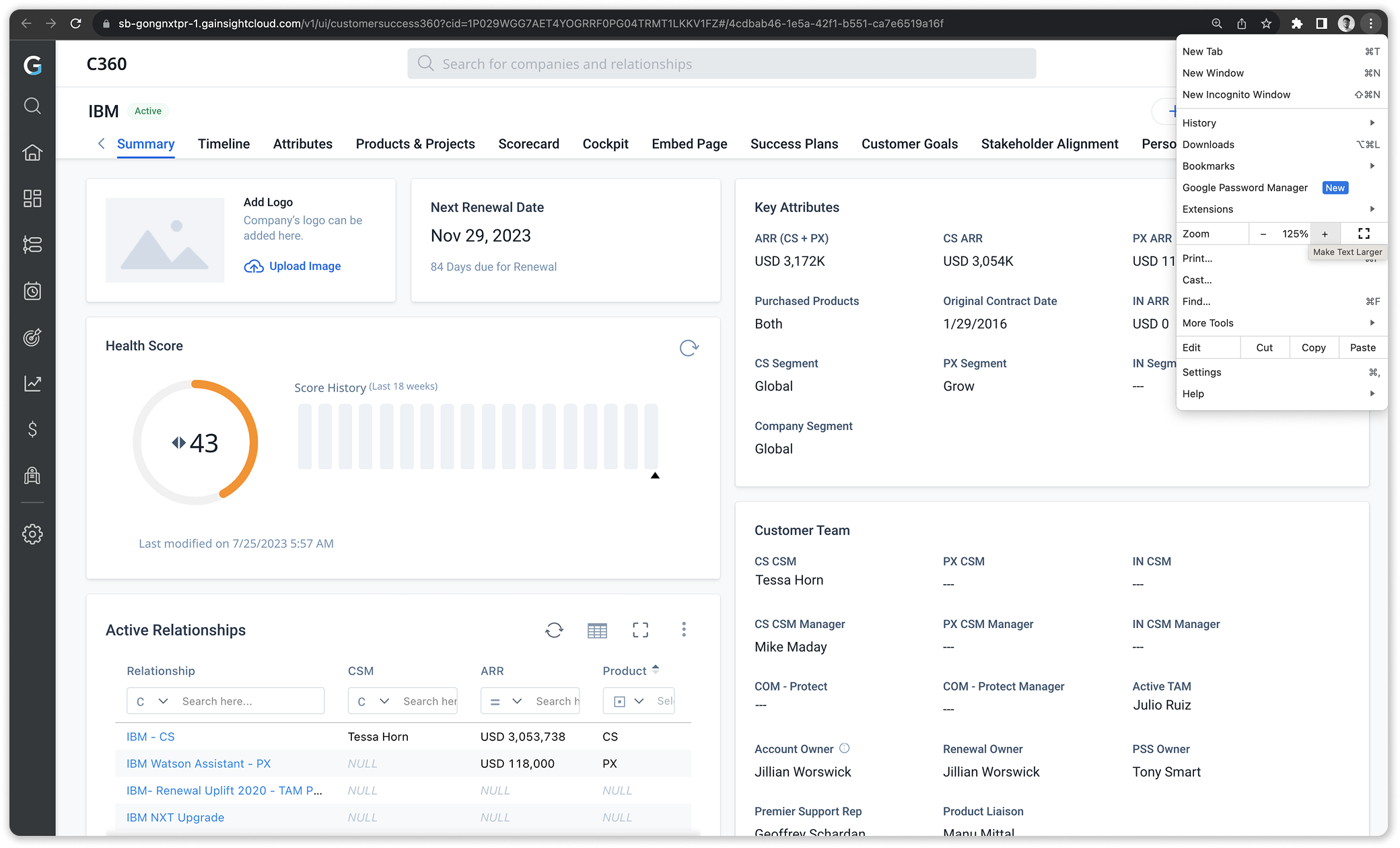
Old C360 dashboard with admin configuration modal
Research

Understanding Users

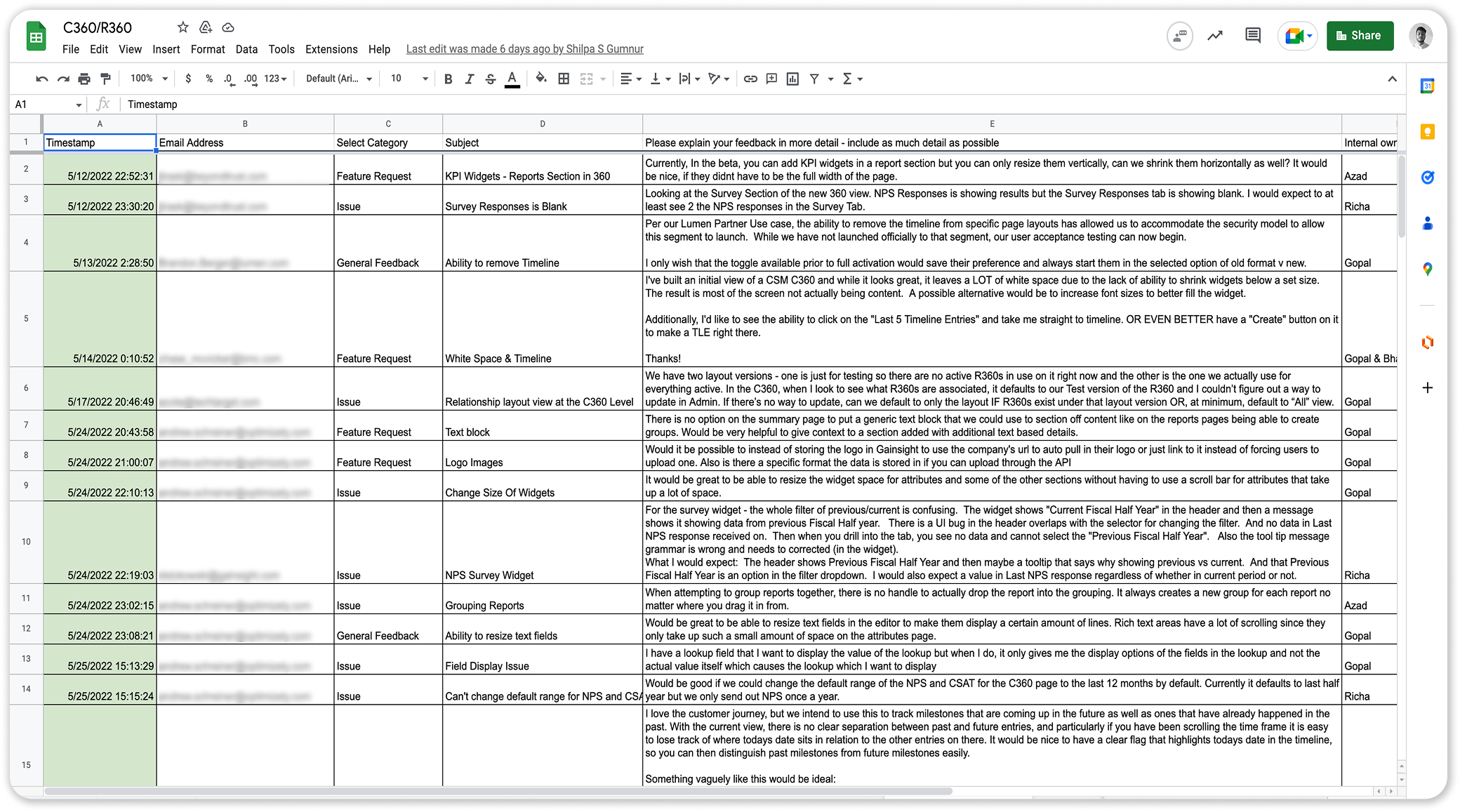
Along with my PM we conducted user interviews and surveys to understand how the users used the product and list down the shortcomings of the existing design.

Together with the team, we prepared an interview script focusing on our target audiences' values, motivations, and daily routines.

C360/R360 user feedback spreadsheet
User Personas

Two key audiences. Two very different needs.

Claire Cromwell
End User · CSM
Claire Cromwell
27  ·  CSM  ·  England, UK
Background
  • Seasoned CSM at a SaaS company providing project management software
  • 5+ years in the industry, recently started using Gainsight C360
Goals
  • Ensure customer satisfaction
  • Reduce churn by identifying at-risk customers early
  • Gather valuable insights into usage patterns
Pain-Points
  • Overwhelmed by the volume of customer data
  • Integration issues connecting C360 with other tools
  • Time management between meetings and analysis
Needs
  • An intuitive user interface that simplifies navigation
  • Ability to customize dashboards and reports
  • Seamless integration with other platforms
Alex Trent
Admin
Alex Trent
32  ·  Gainsight Administrator  ·  San Francisco, USA
Background
  • Responsible for configuring Gainsight C360 layouts for a rapidly growing SaaS company
  • Strong aptitude for data management
Goals
  • Maintain data accuracy within Gainsight C360
  • Create layouts that streamline CSM workflows
  • Improve speed and responsiveness
Pain-Points
  • Managing complex data structures
  • Meeting unique customization requests of different CSMs
Needs
  • Advanced configuration tools to build custom layouts
  • Robust validation mechanisms
  • Simplified integration management
Competitive Analysis

Compared and analyzed several customer success product dashboards.

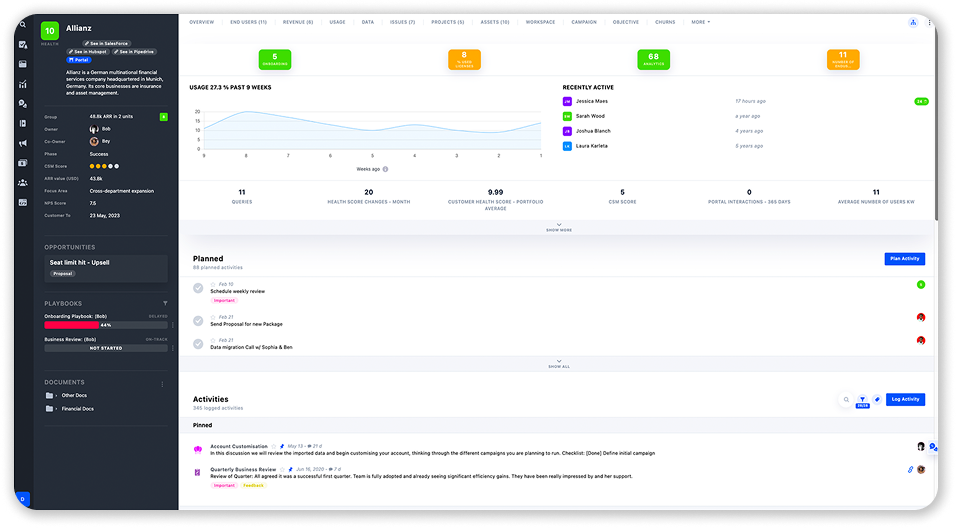
planhat
Planhat dashboard
Strength
  • Modern and intuitive interface with clean design.
  • Interactive charts and graphs, providing dynamic data exploration.
  • Offers helpful tooltips and guidance to assist users.
  • Has robust customer journey mapping features.
Weakness
  • Richness of features can be overwhelming.
  • Dashboards offer limited customization options.
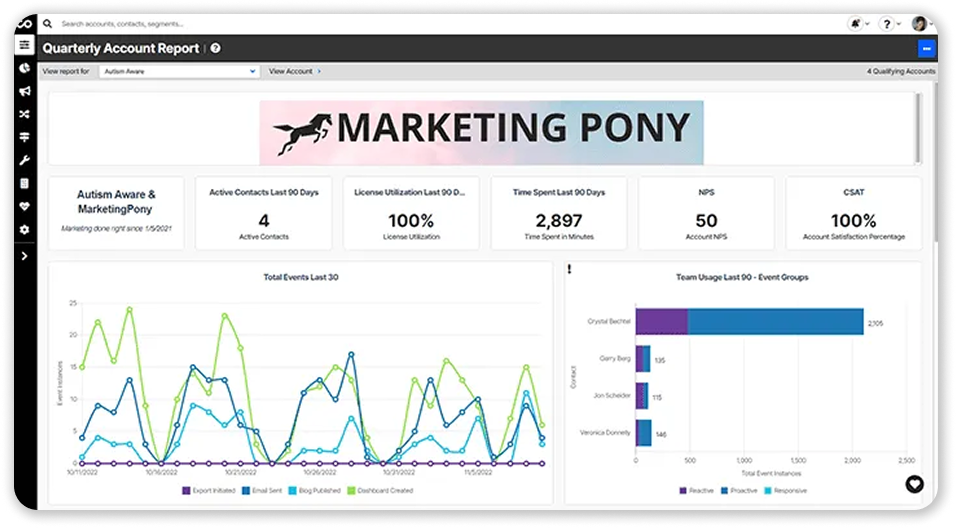
ChurnZero
ChurnZero dashboard
Strength
  • Dashboard design focuses on simplicity, presenting key data points clearly.
  • Good customizability to tailor dashboards to specific user needs.
  • Real-time alerts and notifications.
  • Presents customer health scores and trends visually.
Weakness
  • Lack advanced data visualization capabilities.
  • Creating custom data views can be challenging.
Initial Design

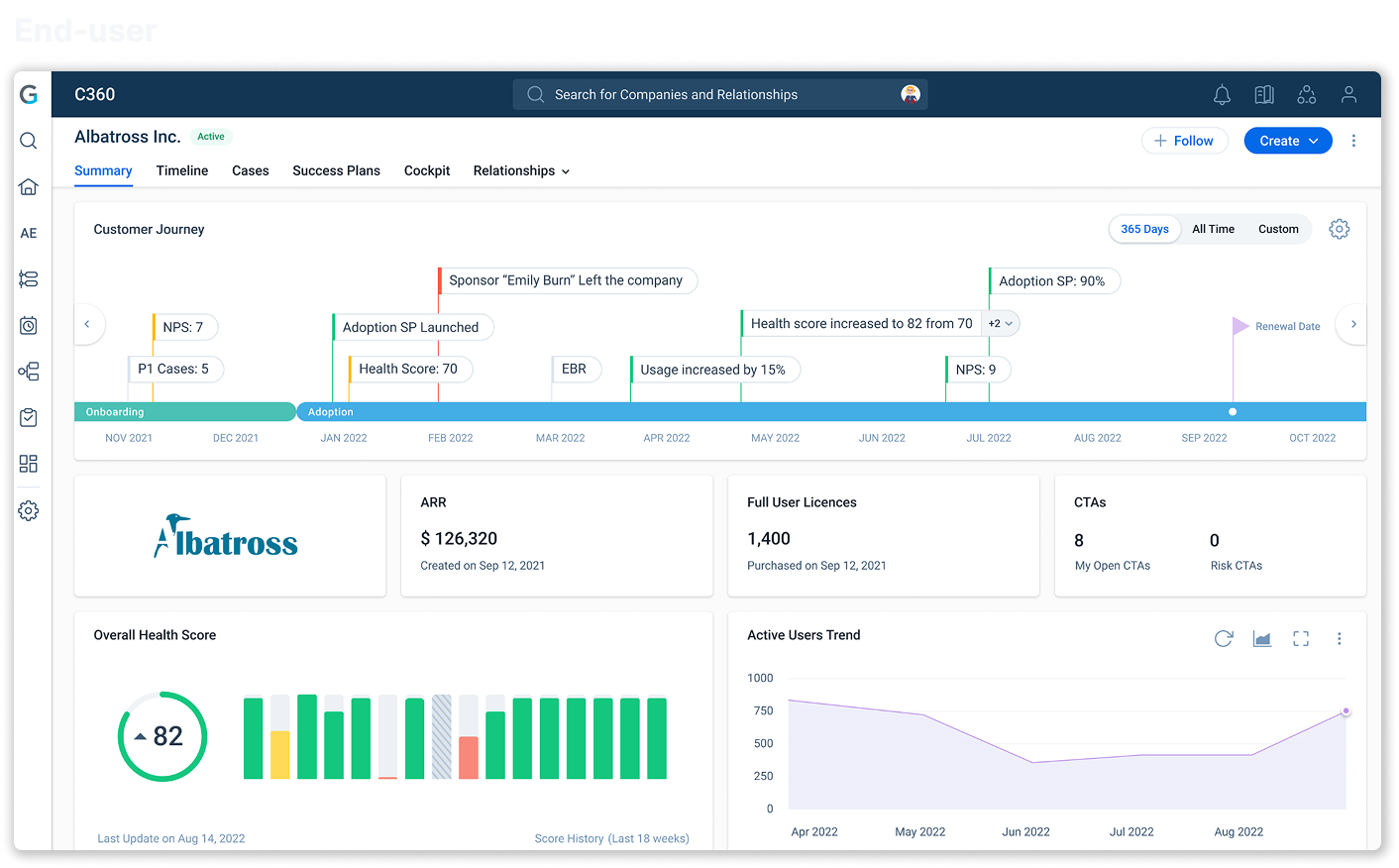
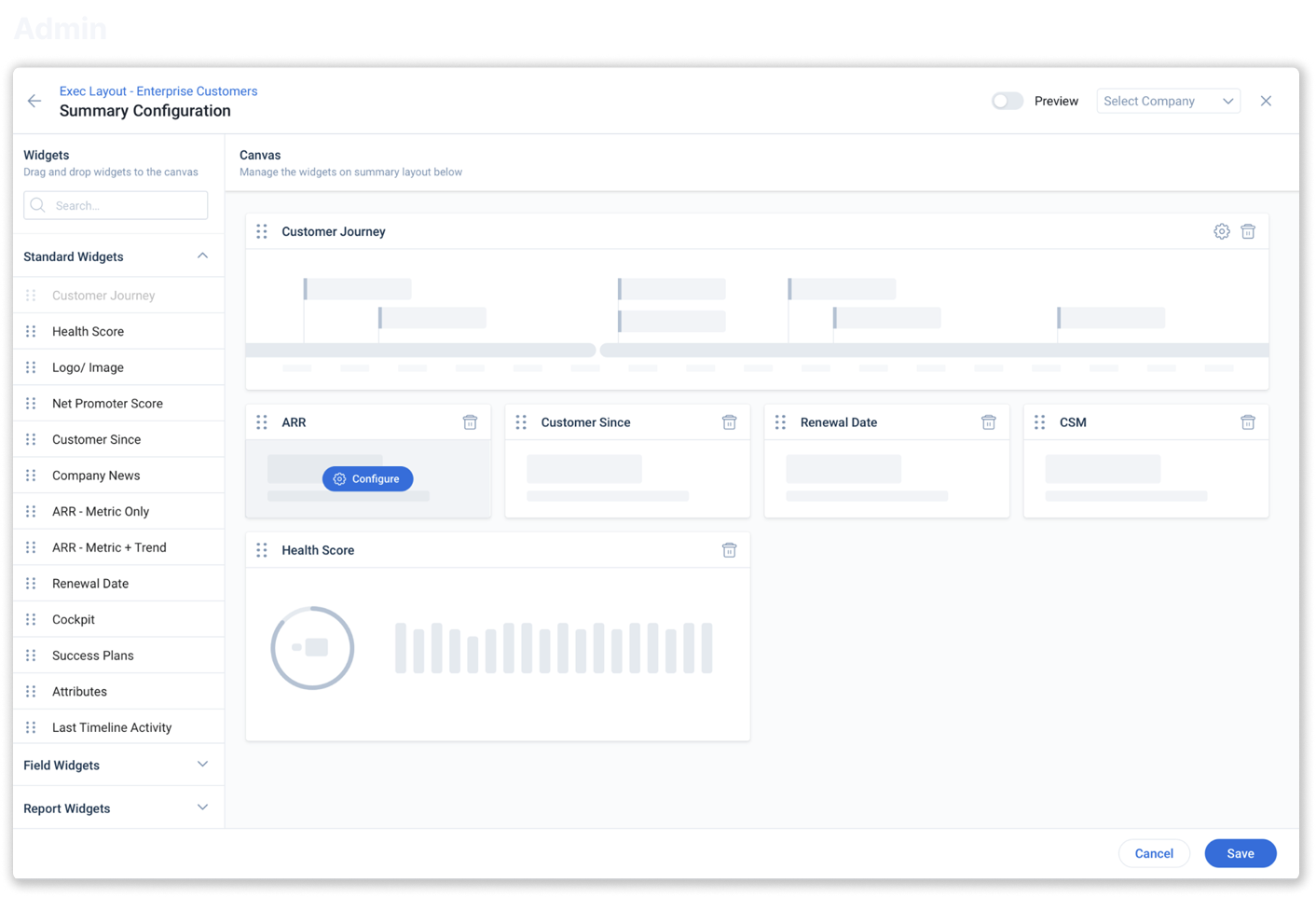
Initial design and stakeholder review

Reviewed and updated the designs created by the previous designer, leading design crits with product managers, developers and higher management to review ideas and collect feedback.
End-user
Initial C360 end-user design
Admin
Initial C360 admin configuration design
Key Feedback

Key feedback

Design Exploration

Four proposals, one brief: solve for responsiveness

Proposal 1
Proportionally scale the UI taking an example of the Browser Zoom.
Proposal 1 — Browser zoom
Pros
  • Addresses all issues regarding responsiveness and white spaces.
Cons
  • Not achievable in Firefox (used by a big chunk of our users).
  • Technical difficulties in scaling fonts and custom report visualizations.
  • Doesn't make full use of a bigger screen.
Proposal 2
Increase/decrease number of columns based on screen resolution and auto arrange the layout.
Proposal 2 — Auto-arrange layout
Pros
  • Automatically optimizes the layout for different resolutions.
Cons
  • Admins position widgets based on their requirements so it cannot be auto-rearranged.
  • High technical effort.
Proposal 3
Allow admins to create layouts for 3 different sizes based on the majority of screen sizes used in their organization.
Proposal 3 — Three sizes
Pros
  • Gives admins flexibility to optimize layouts based on their use-cases.
Cons
  • Increases admin workload having to create multiple layouts.
Proposal 4
Move to a 24-column layout and redefine widget sizes. Along with the ability to preview layouts in 3 different resolutions.
✓ Chosen
Proposal 4 — chosen, 24-column
Pros
  • Increases flexibility to resize widgets.
  • Allows admins to better optimize layouts for wider range of resolutions.
Cons
  • Higher dev effort to implement the 24-column grid system.
Final Design — End User

Before and after: the same account, a completely different experience

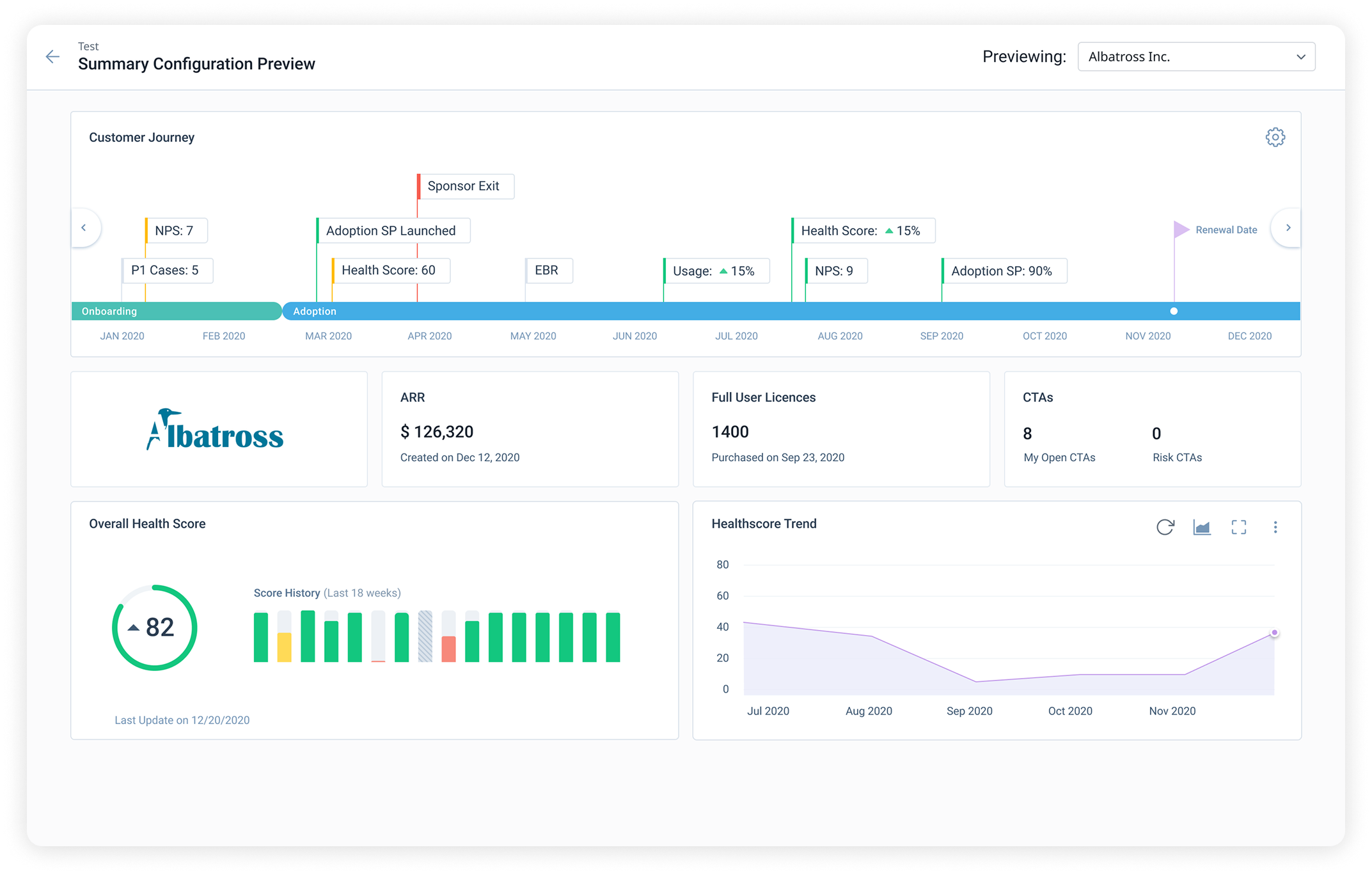
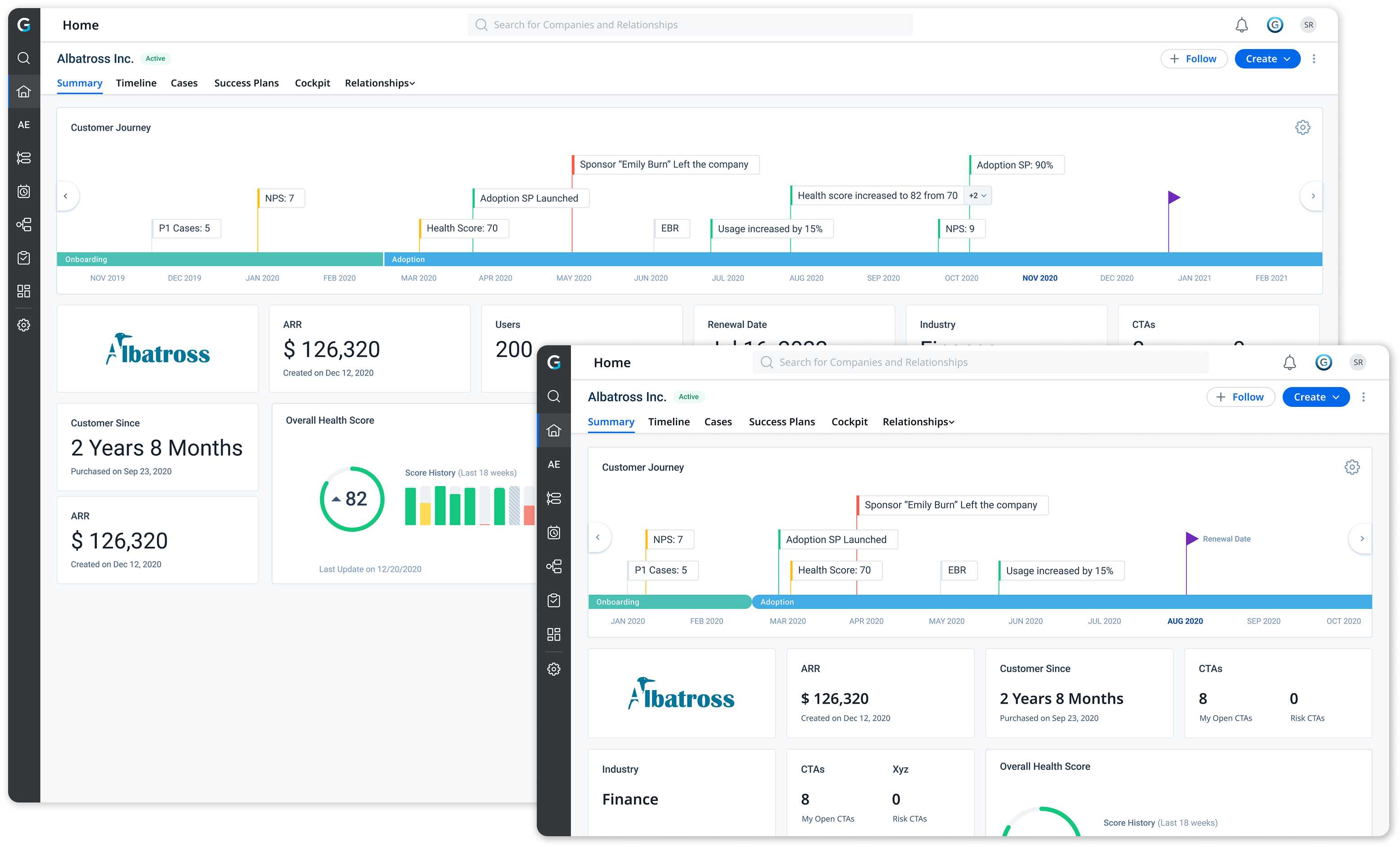
The new C360 consolidates the most critical account signals into a single, configurable summary view.

Before After
Before: Old IBM C360
After: New Albatross C360
24-column layout

Moved to a 24-column layout for precision and backward compatibility

We moved to a 24-column layout, accounting for backward compatibility to the 4-column layout for the ease of migrating our existing customers.

The lengthy left navigation replaced by tabs that can be pinned to reduce information overload & improve accessibility.
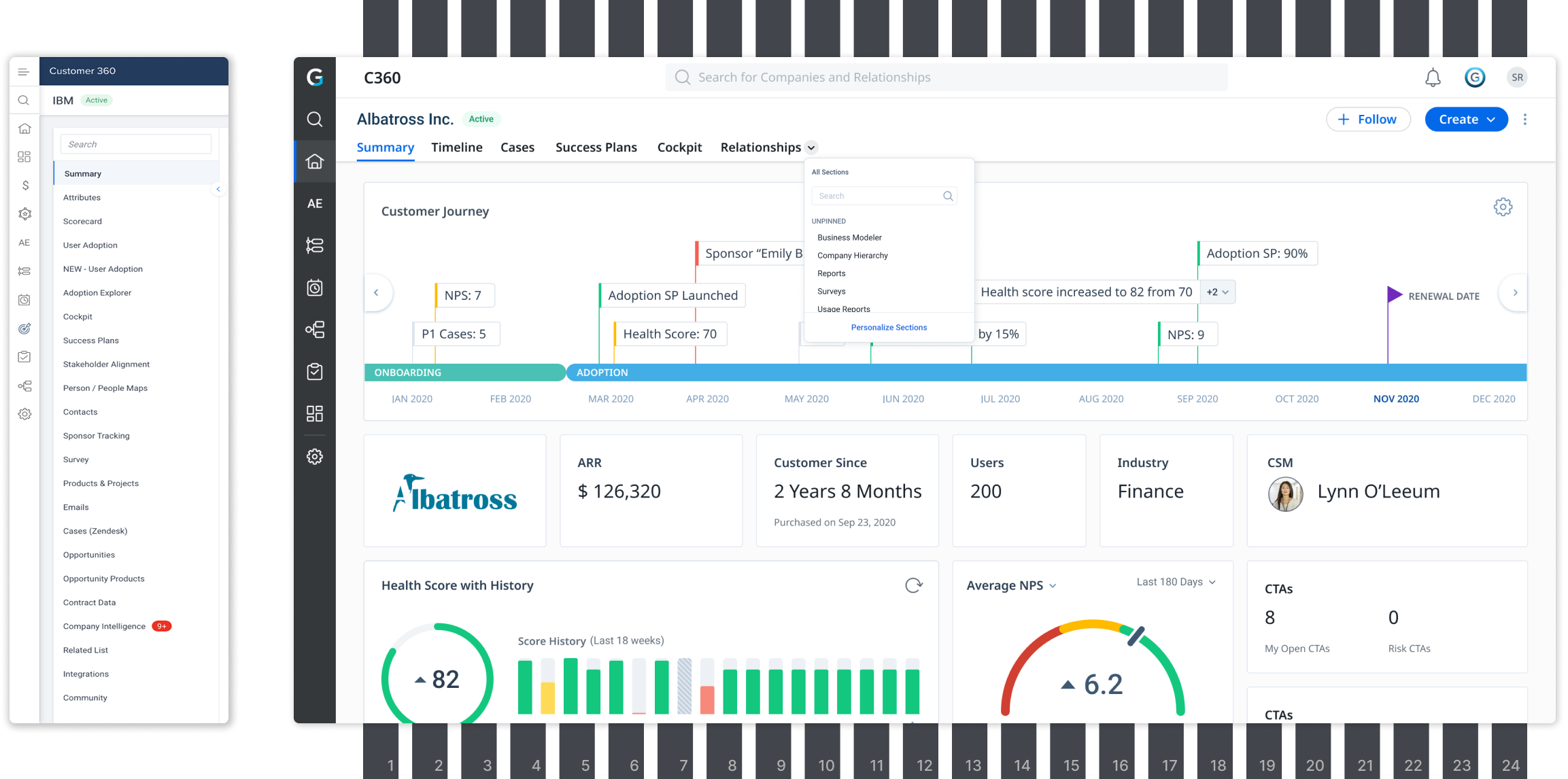
24-column layout with tab navigation
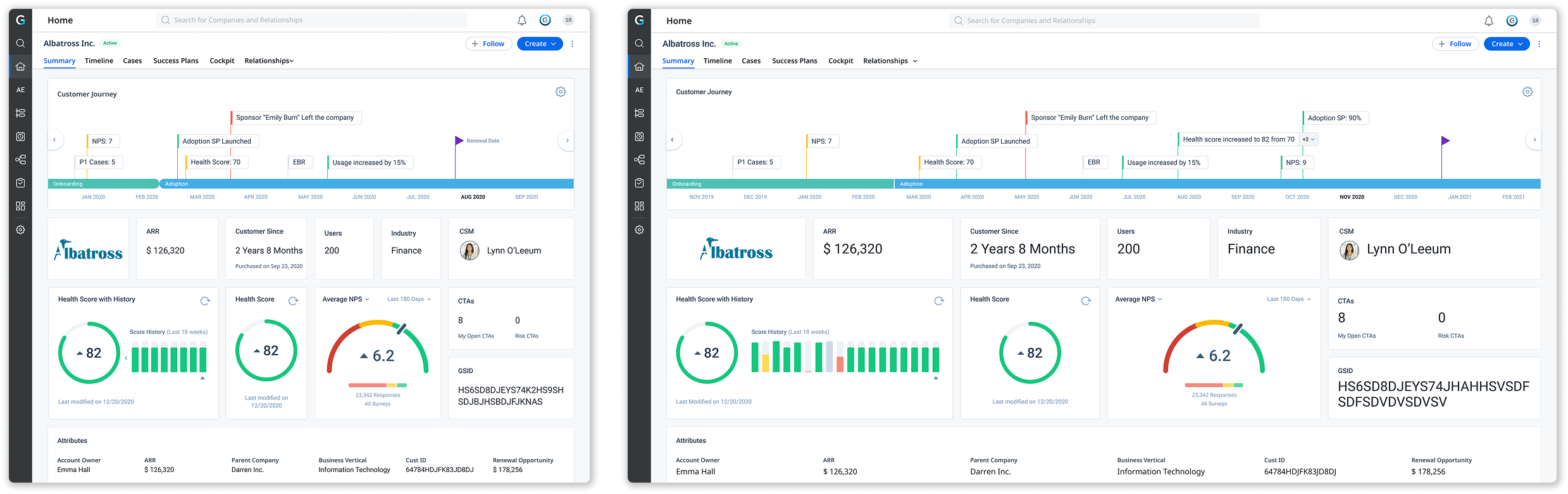
Responsiveness

Once optimised, layouts scaled well across a wider range of resolutions.

C360 at 1200px and 2048px resolutions
Reimagined Widgets

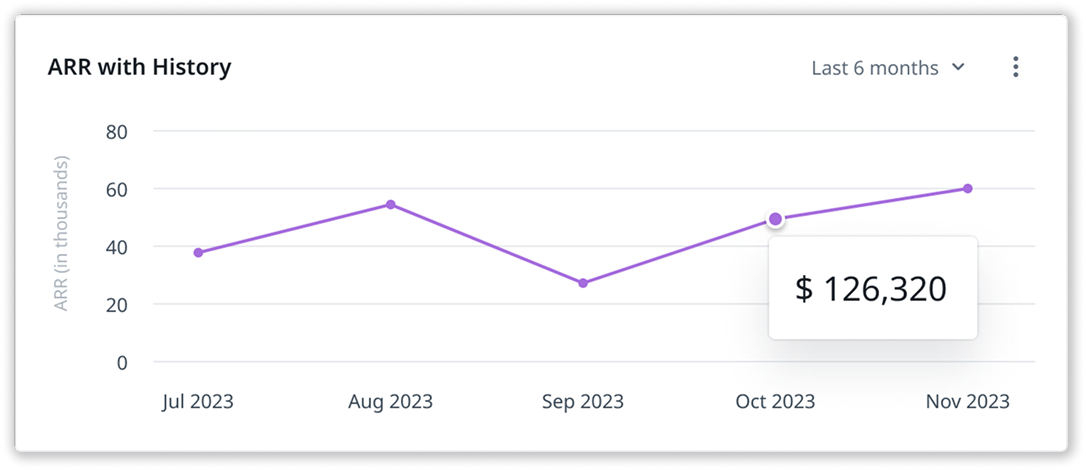
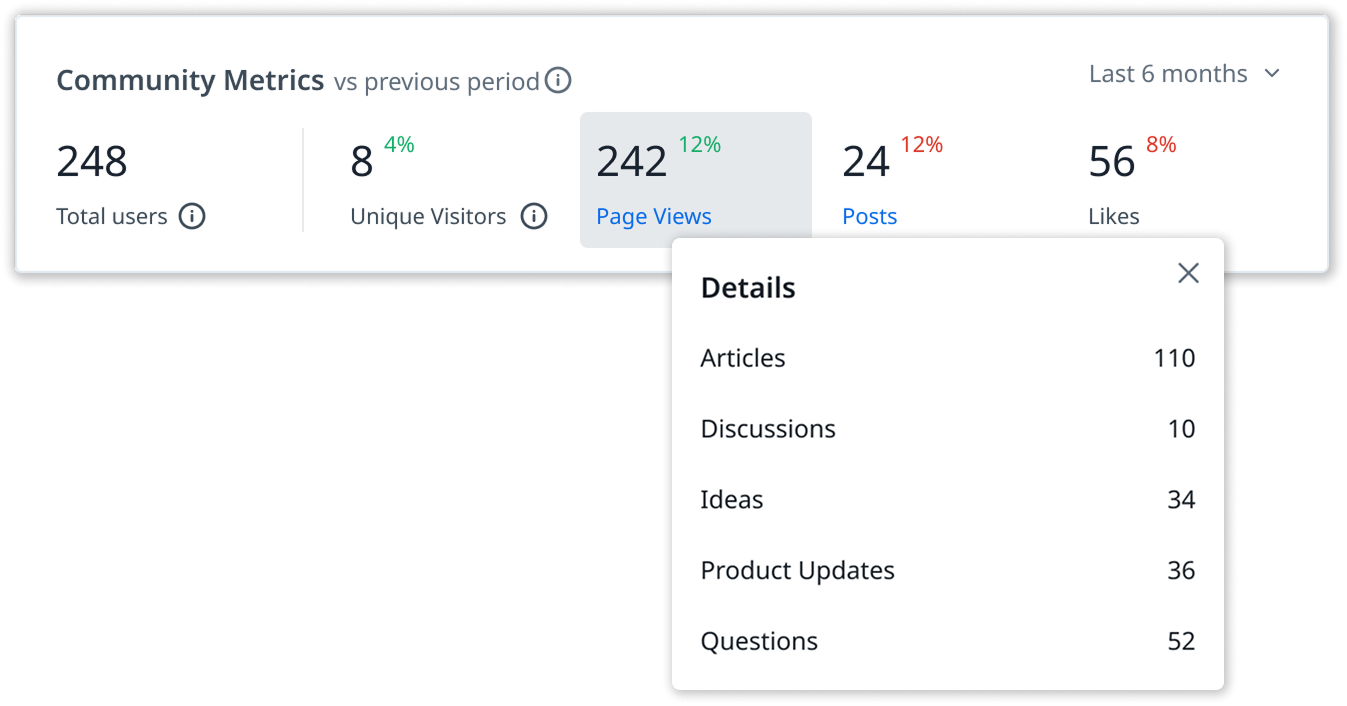
Redesigned using the new Horizon design system — and new widgets to address additional use-cases.

Redesigned widgets using the new Horizon design system and along with new ones to address additional use-cases.
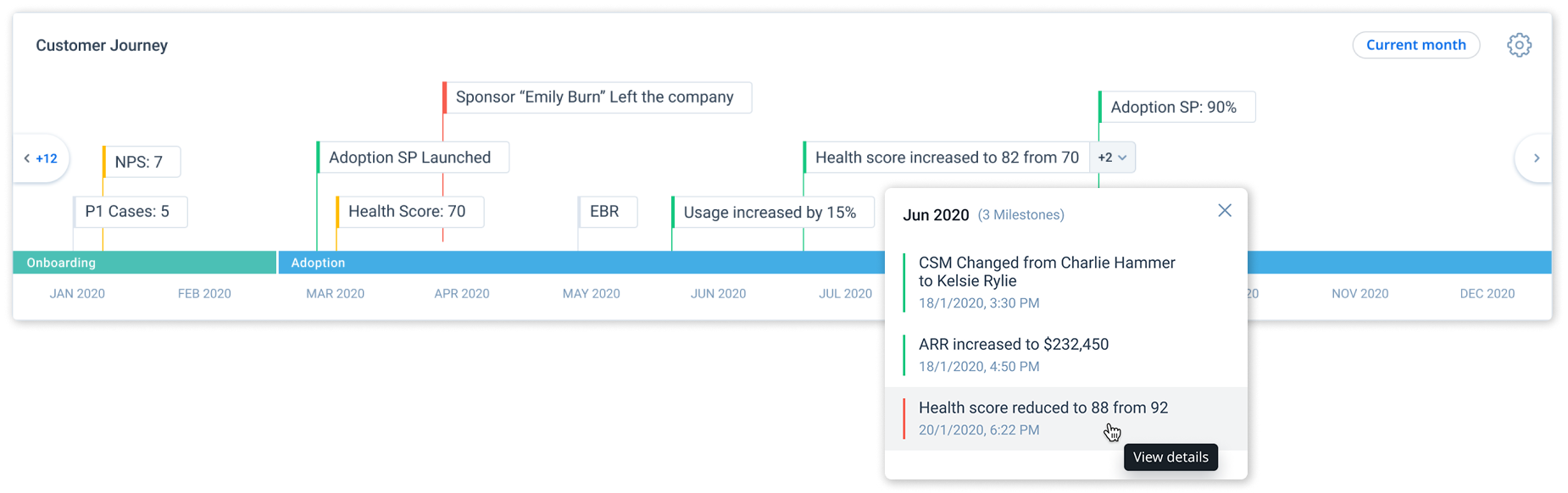
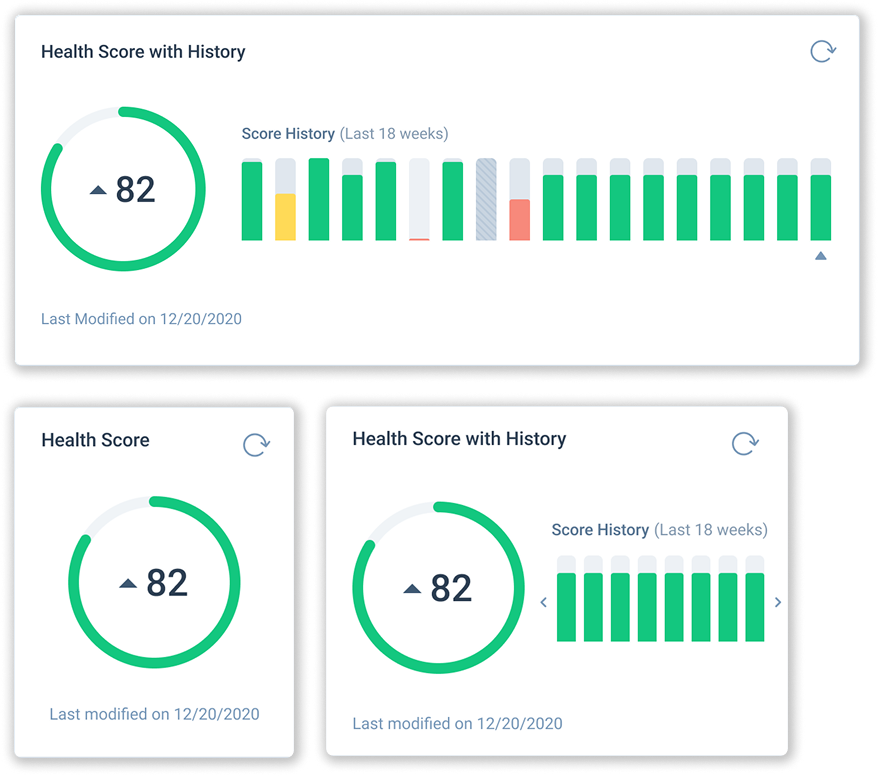
Customer Journey timeline widget
Health Score widgets
ARR with History chart
Community Metrics widget
Final Design — Admin

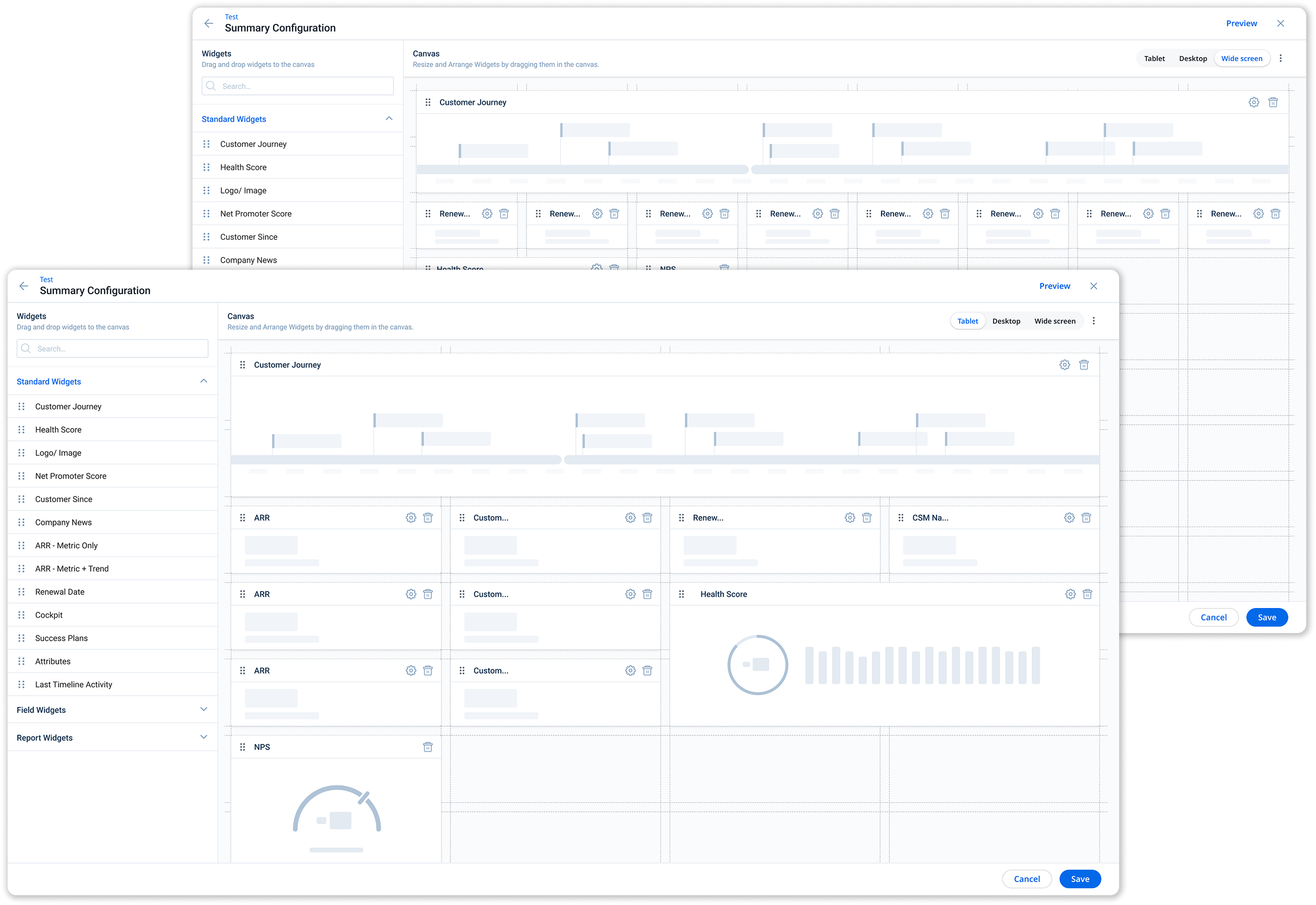
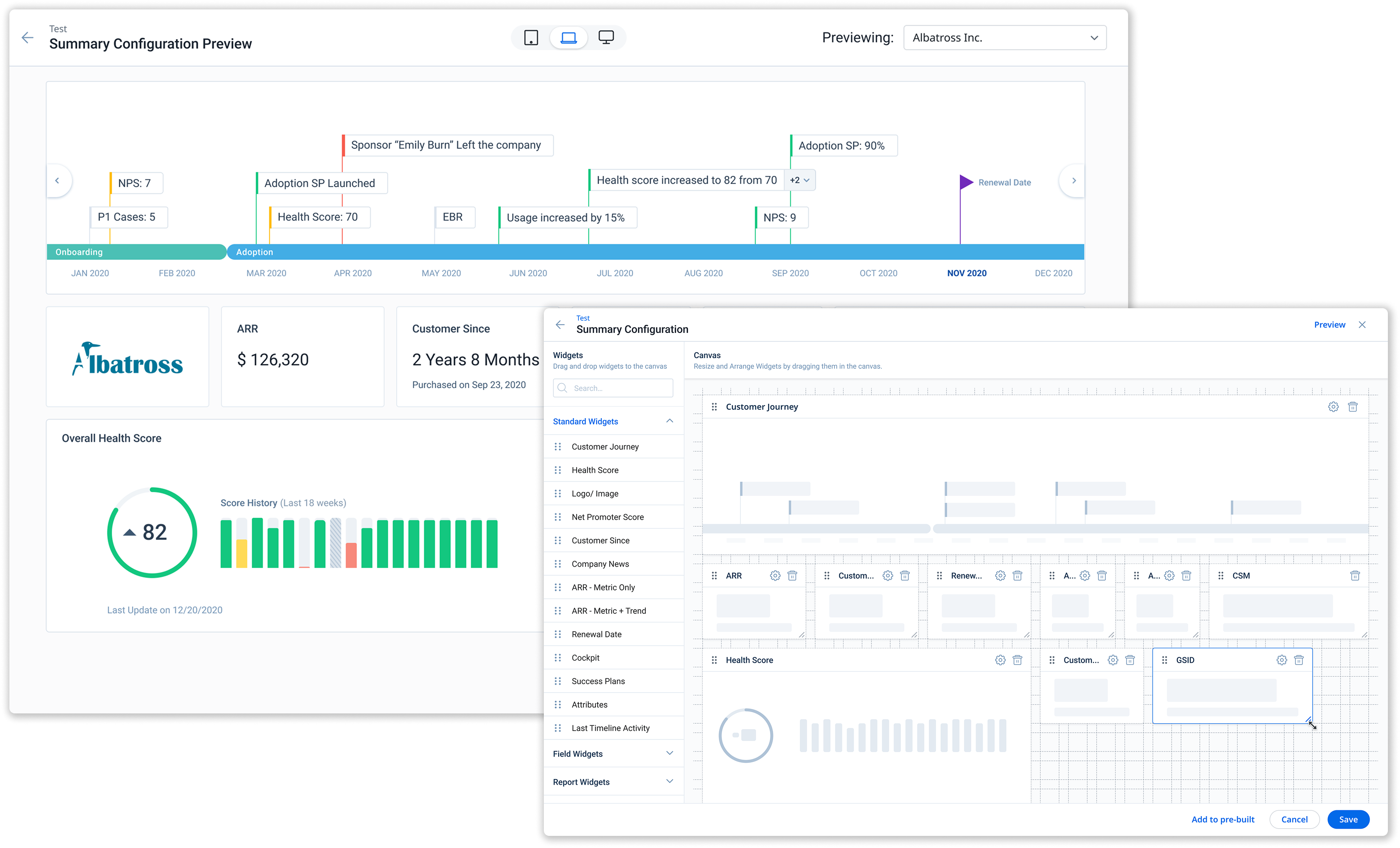
From modal to full page. A completely new configuration experience.

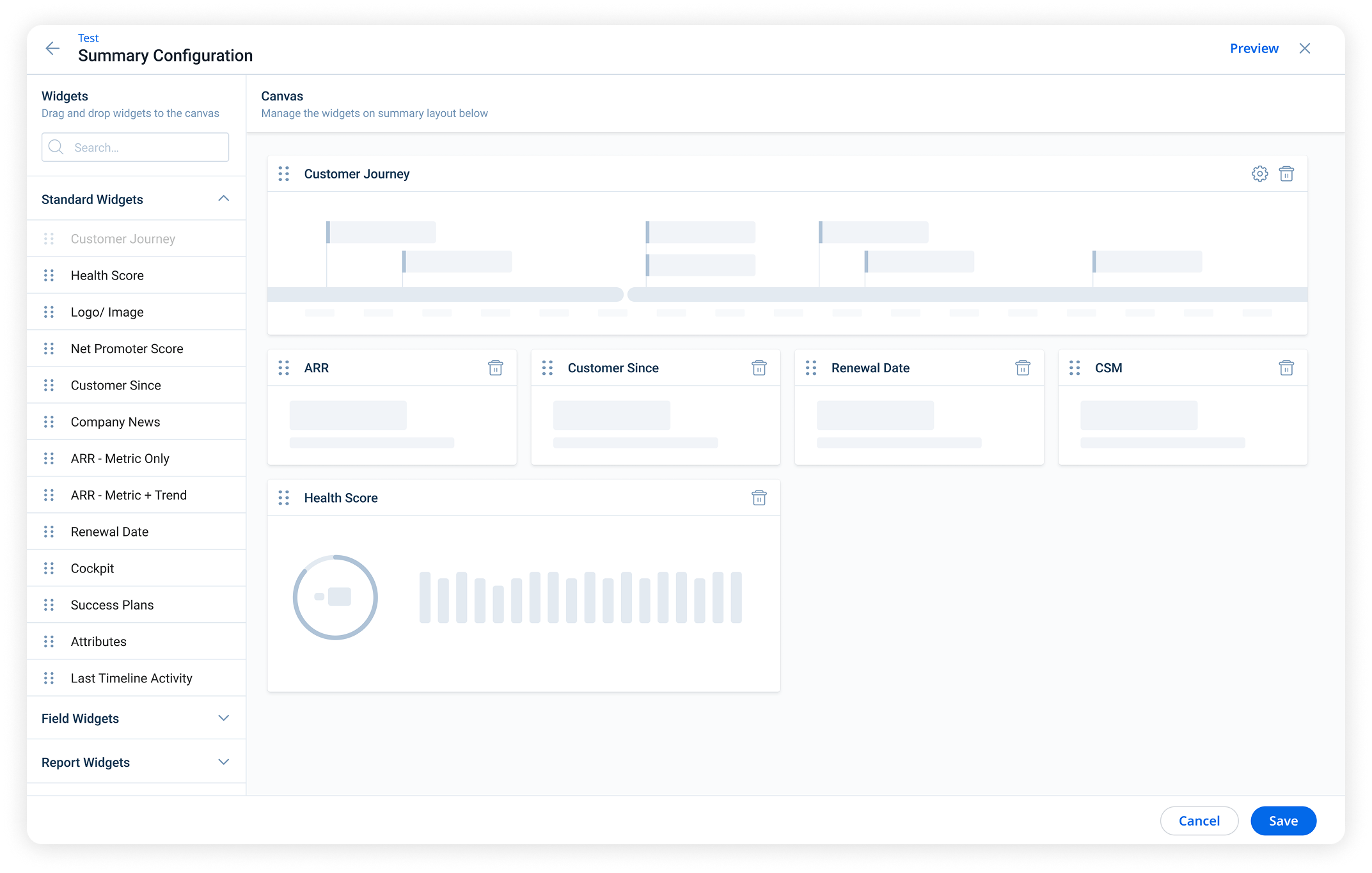
The new admin design now provides admins an easy drag and drop experience, with the flexibility to resize their widgets across a wider range of sizes to optimize layouts. Moved from a modal experience to a full page experience for better accessibility.
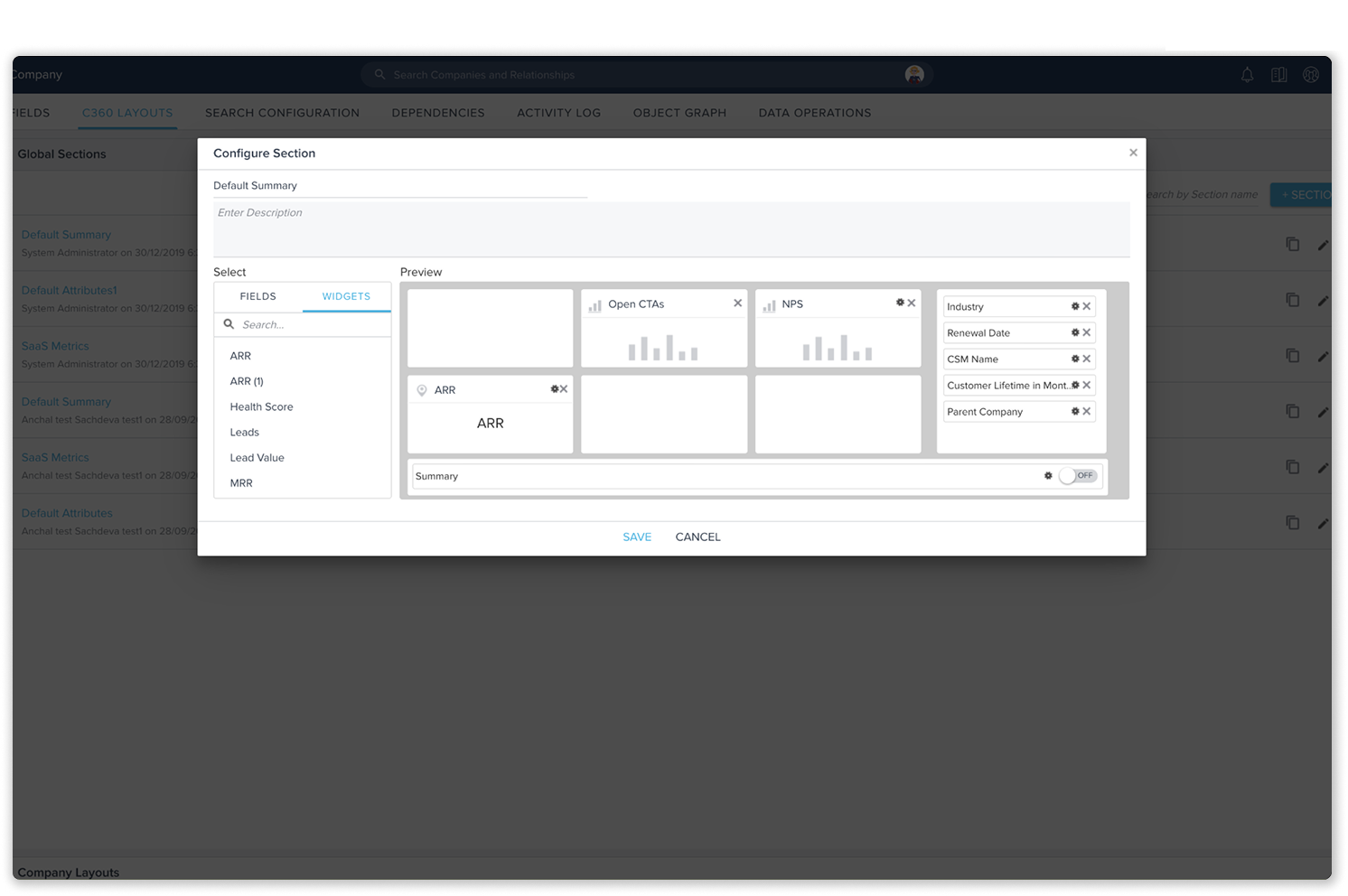
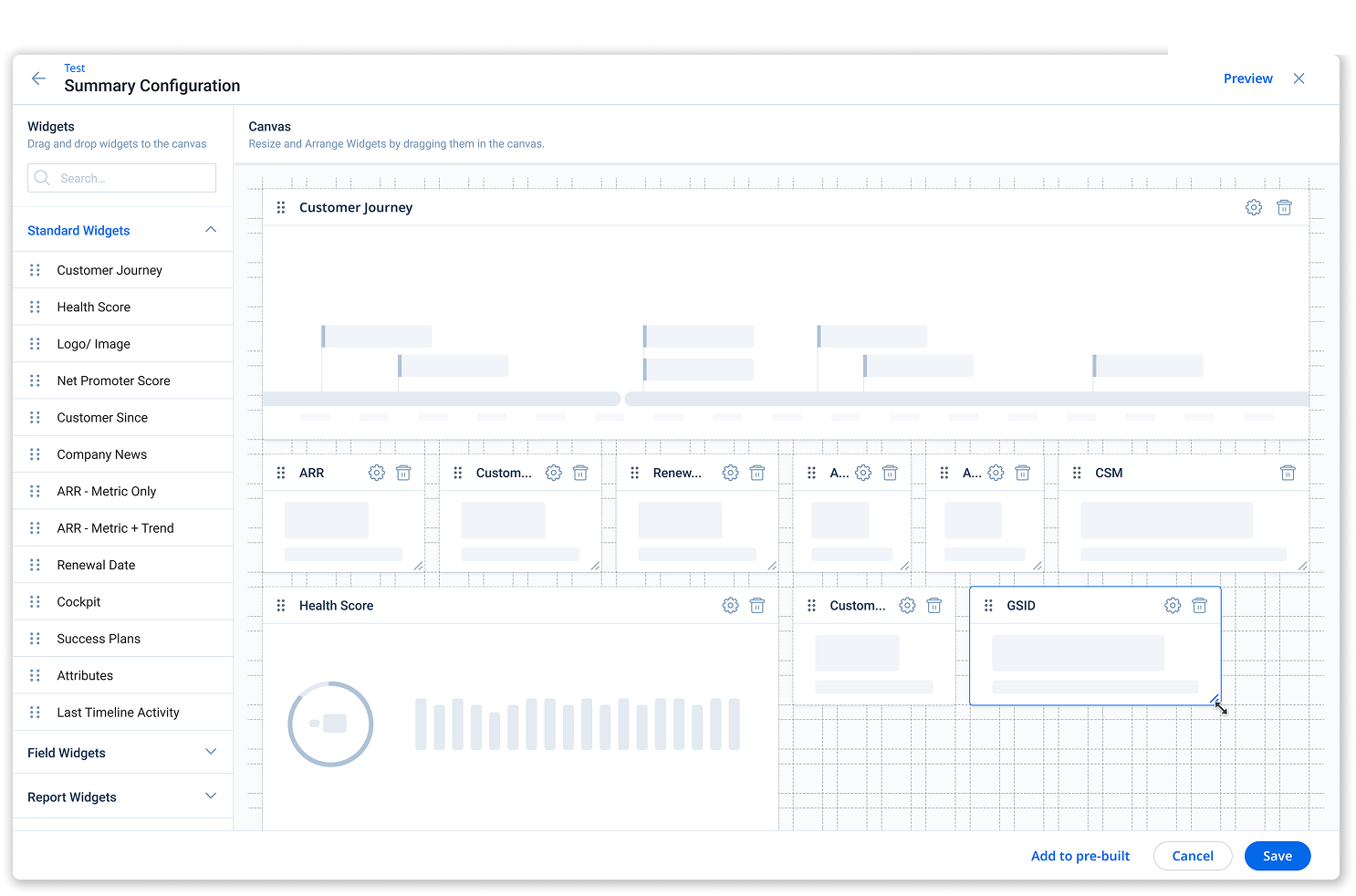
Before After
Before: Old admin configuration modal
After: New Summary Configuration full-page
Admin Wizard

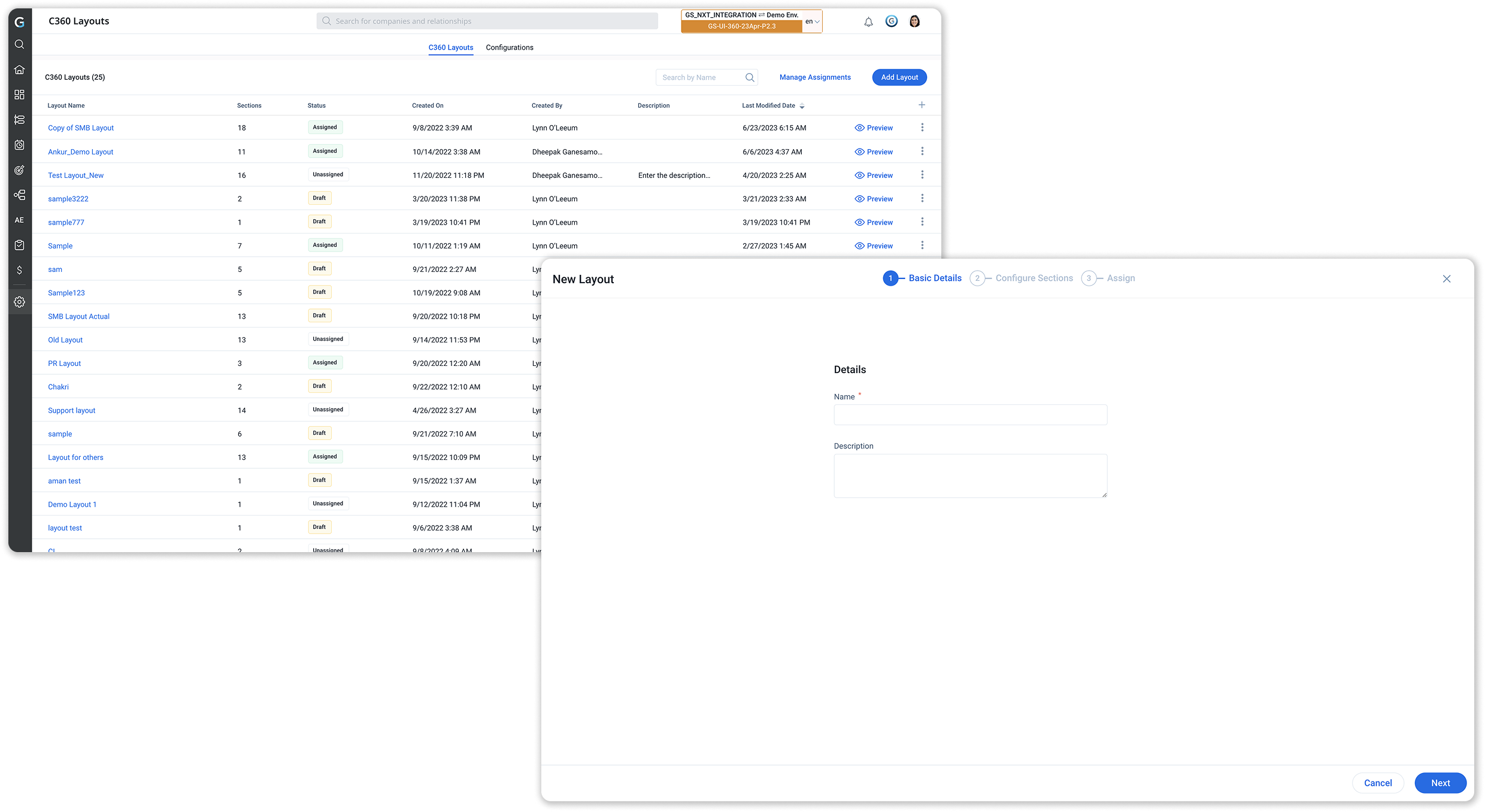
A guided wizard to create and assign C360 layouts.

Wizard — C360 Layouts and Basic Details
Step 1
Create New Layout

Go to C360 Layouts in Administration and click on Add Layout.
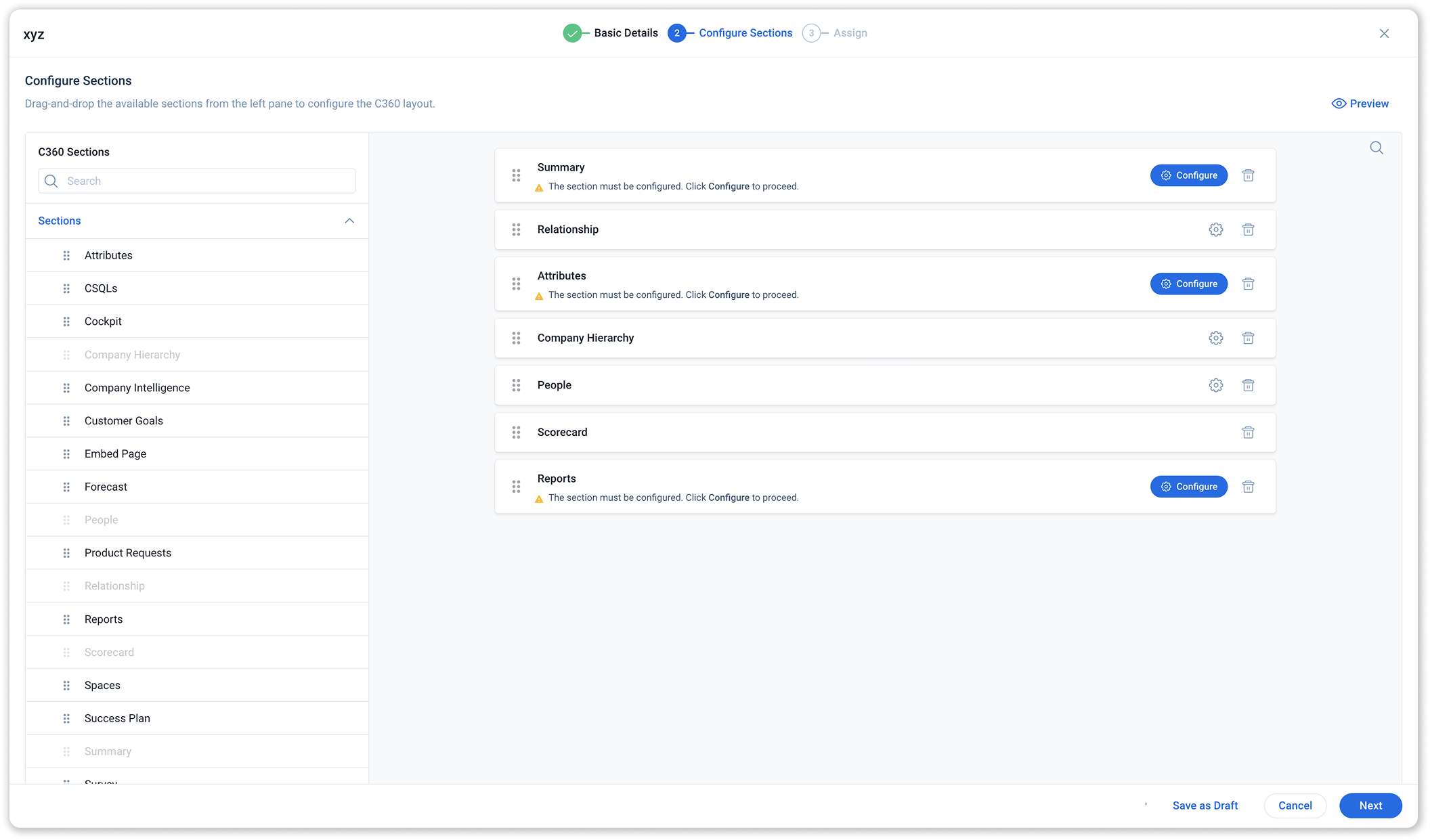
Wizard — Configure Sections
Step 2.1
Select Sections

Add all sections that the CSMs would need to access.
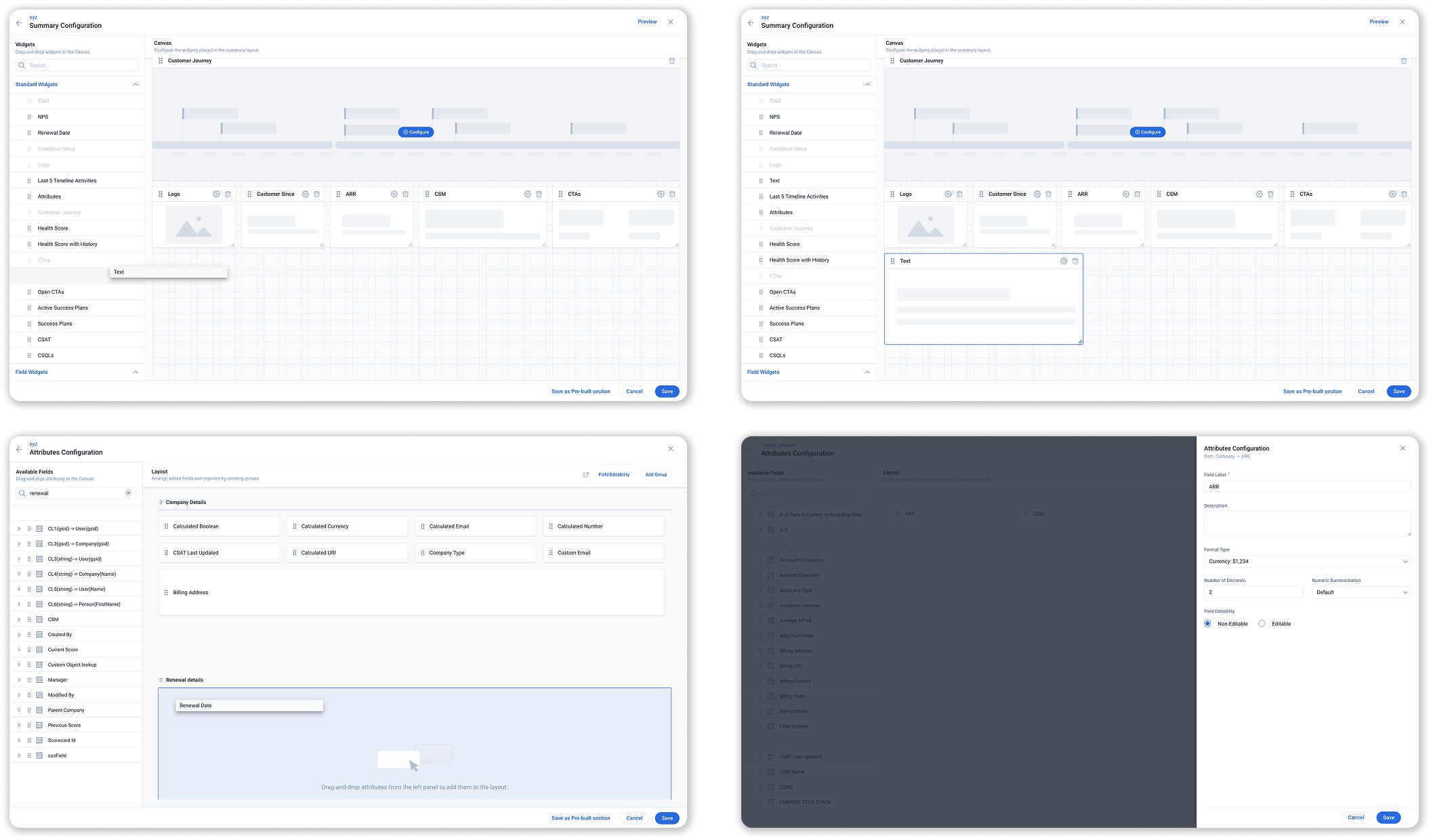
Wizard — Attributes Config
Step 2.2
Configure Sections

Personalise sections like the Summary, Reports and Attributes as per requirements.
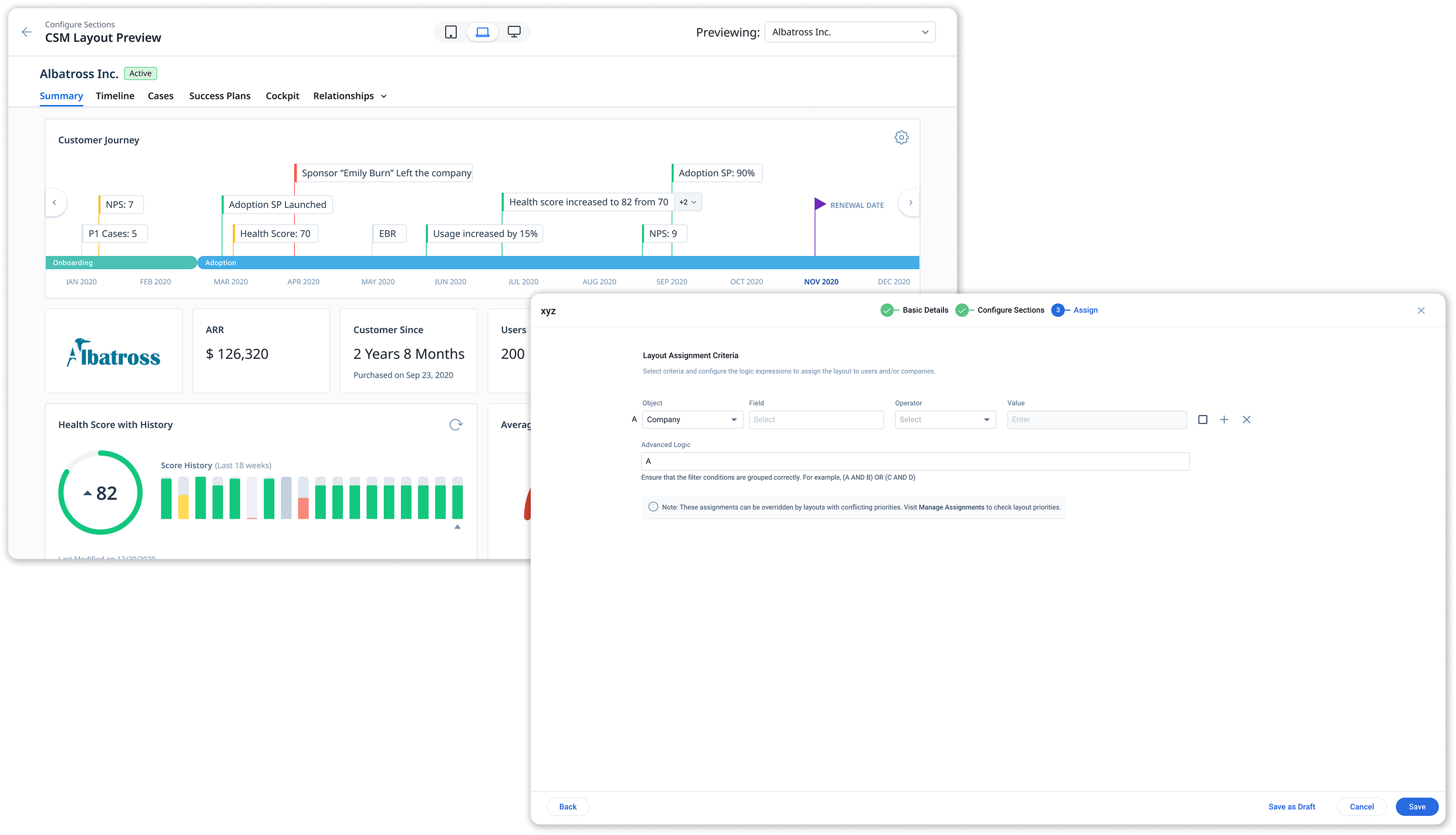
Wizard — Preview & Assign
Step 3
Preview and Assign

Preview the layouts with actual customer data to take informed decisions and proceed to assign it to Customers or Users.

Module 02 - Integrations

C360 wherever your team already works.

Designed embedded C360 panels for three of the most widely-used enterprise tools — letting CSMs access critical account data without switching context.
Zendesk

C360 customer data embedded directly within Zendesk ticket views, giving support agents immediate context on account health, ARR, and the customer journey without leaving the ticket.
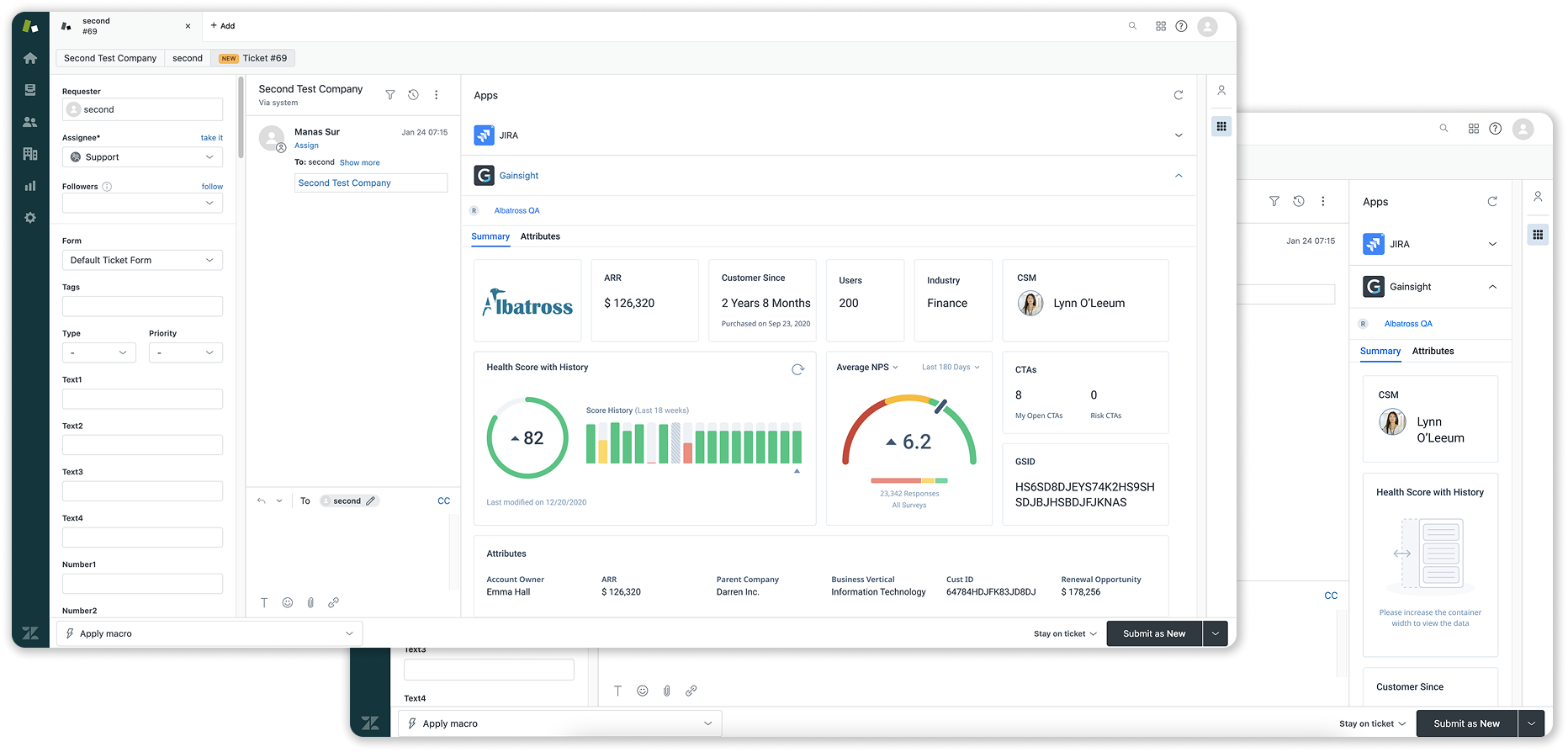

Zendesk with embedded C360 panel
Zoom

A Gainsight sidebar panel inside Zoom meetings surfaces customer journey, health score, and CTAs — so CSMs can stay focused on the call, not a separate tab.
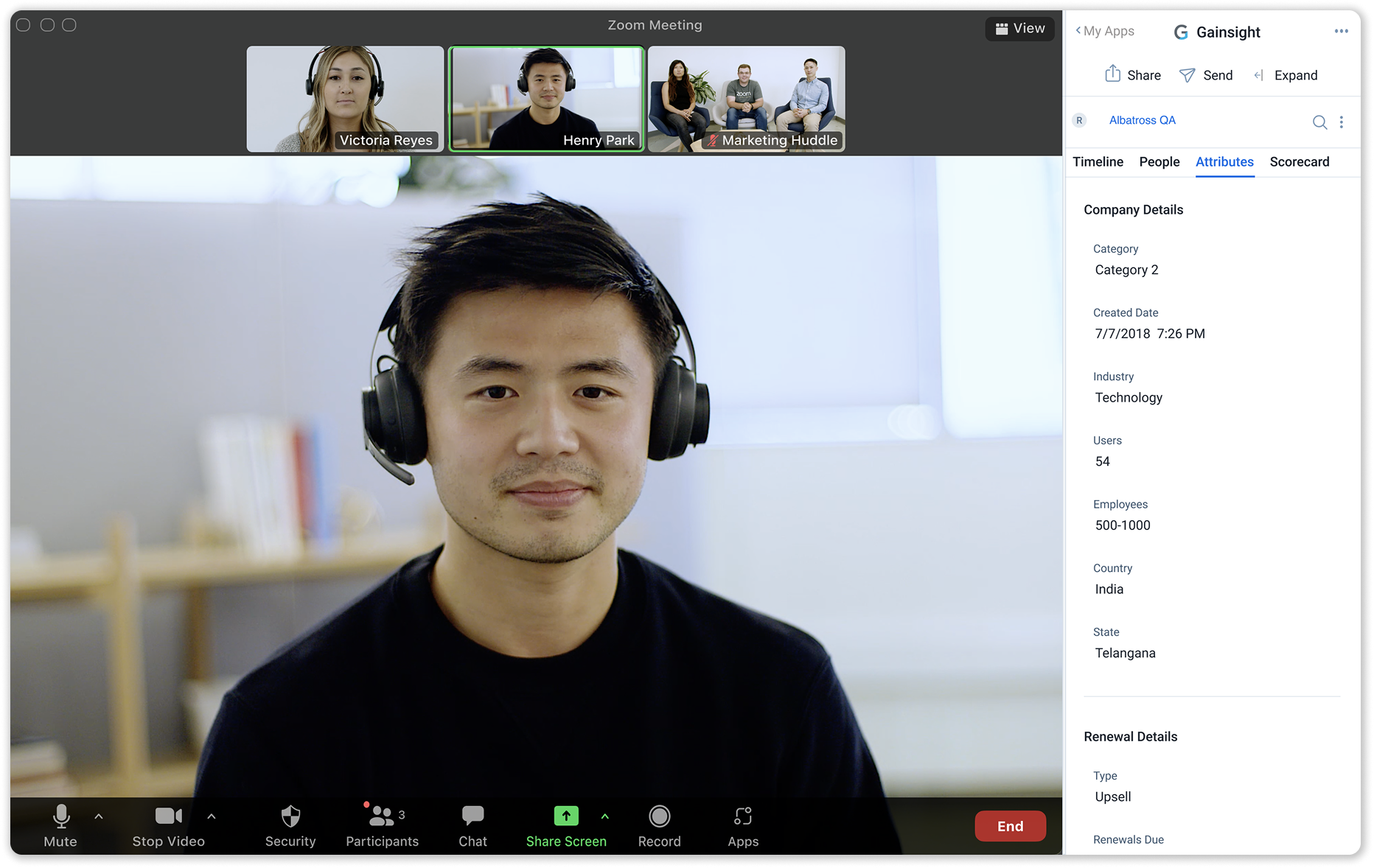

Zoom meeting with Gainsight C360 sidebar
Salesforce

C360 embedded within Salesforce account pages, giving sales teams access to customer success data — health scores, renewal dates, and timeline activities — in context.
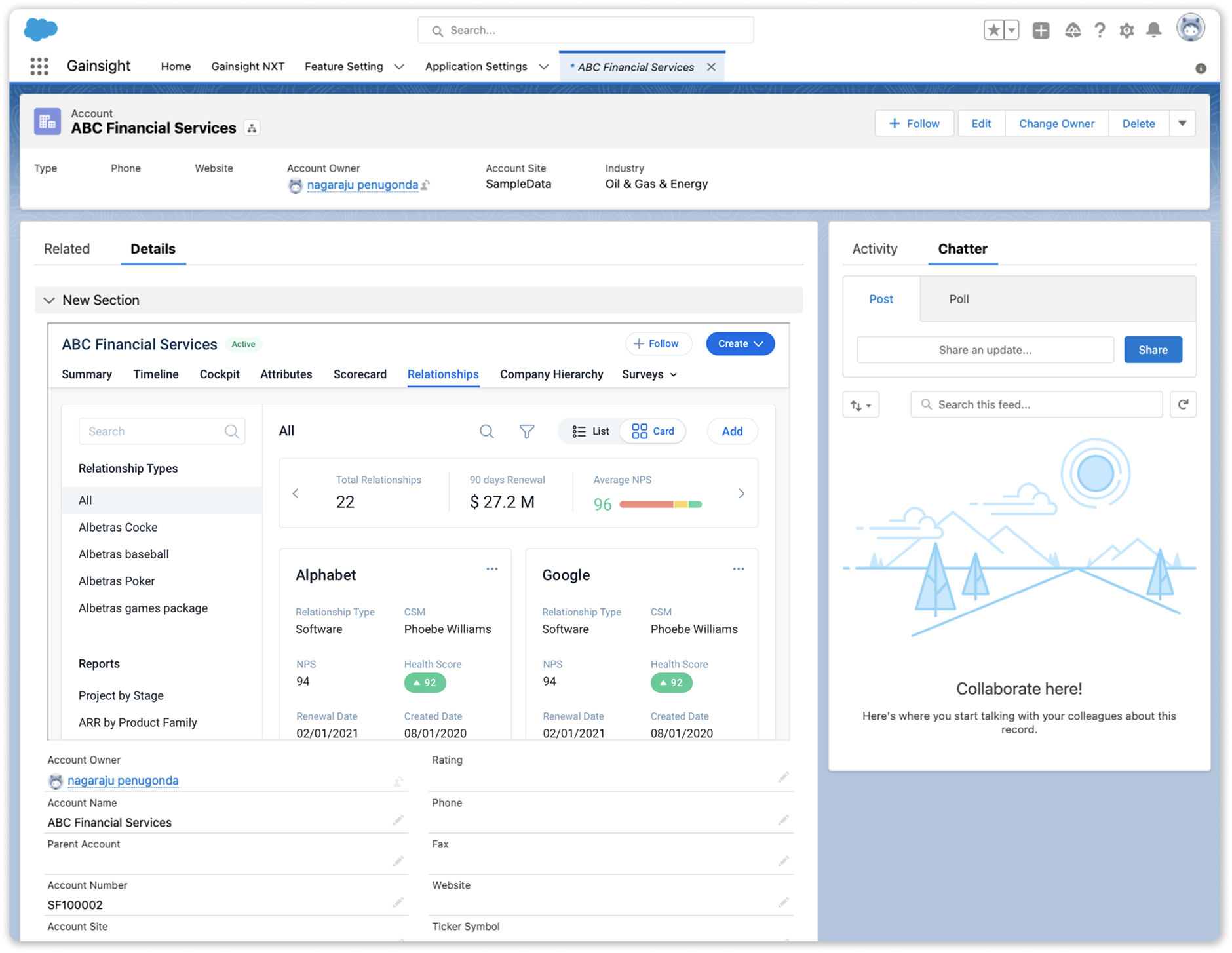
Salesforce account with embedded C360
Module 03 - Redesign Share 360

A redesigned sharing experience — built for the Horizon design system.

Redesigned the full Share C360 flow, making it faster to share account snapshots with stakeholders outside Gainsight.
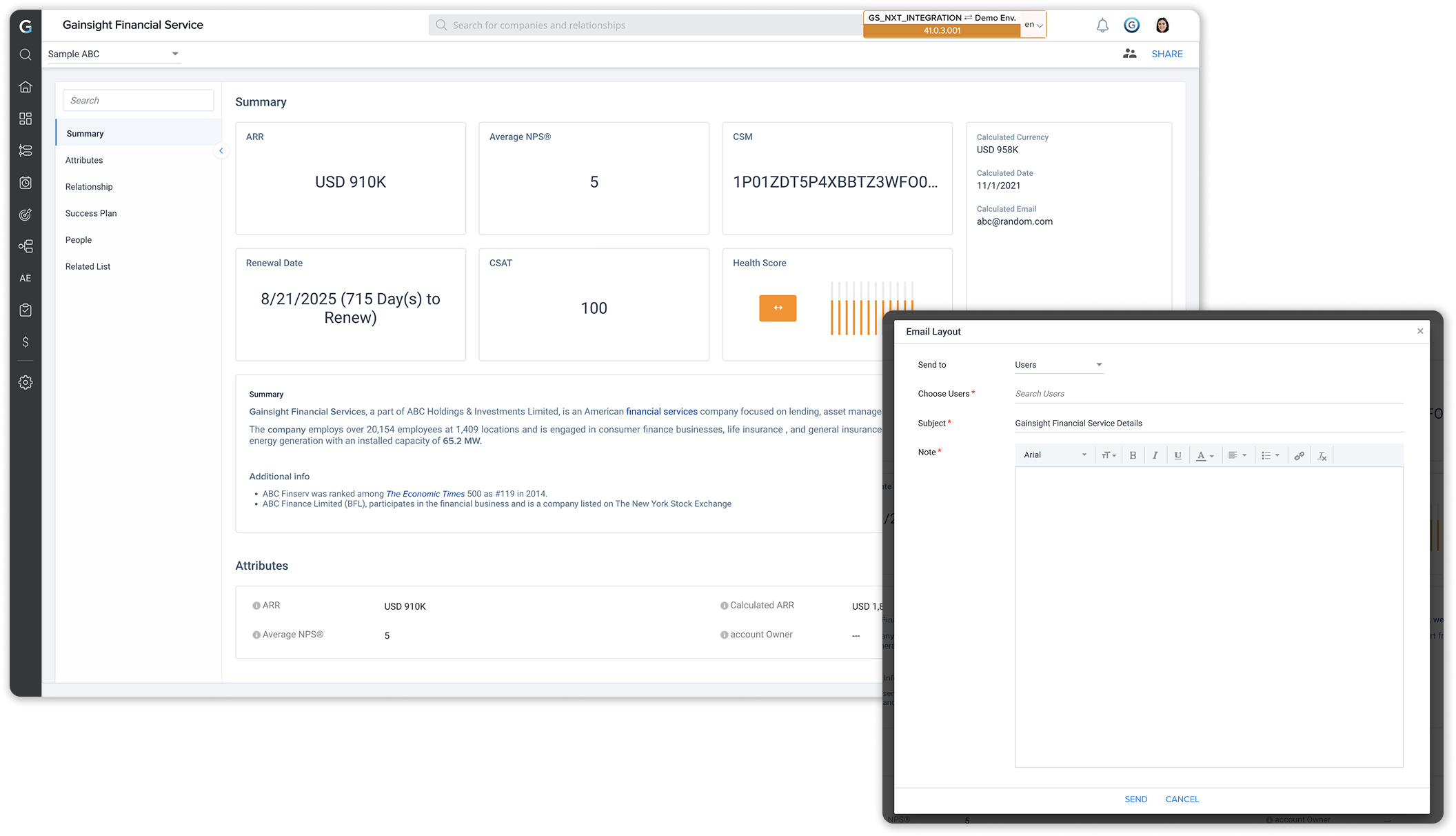
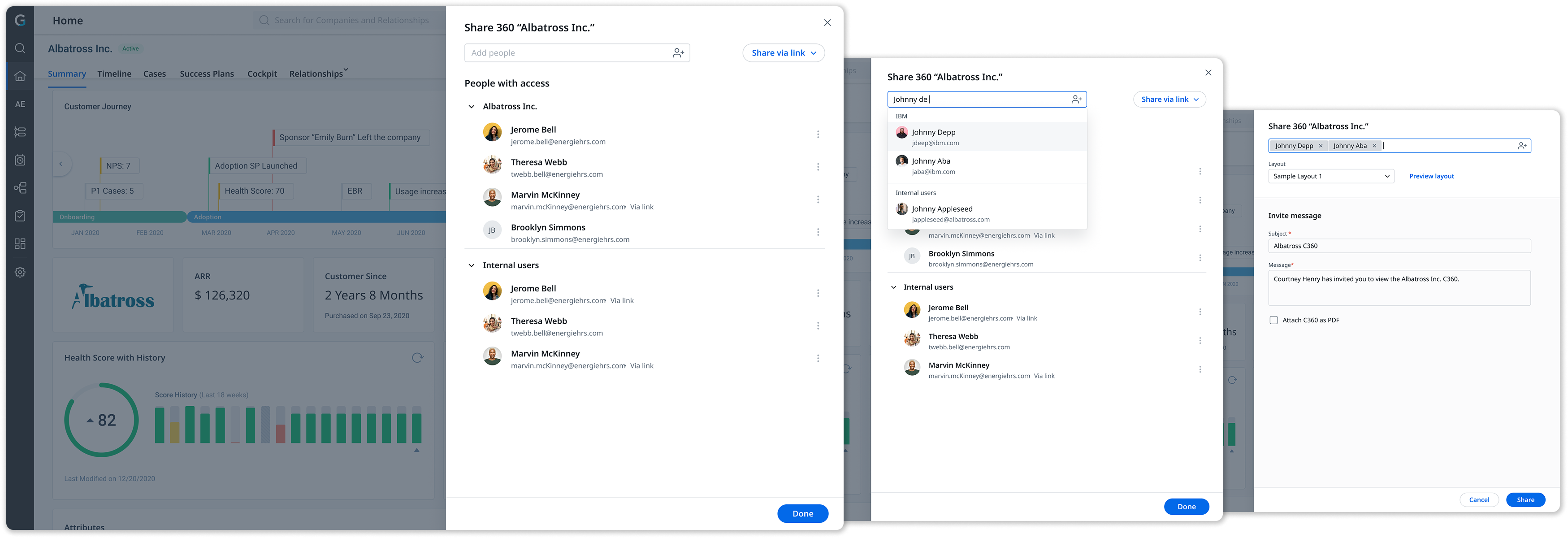
Old Design
New Design — Share via email
New Design — Share via link
How it landed

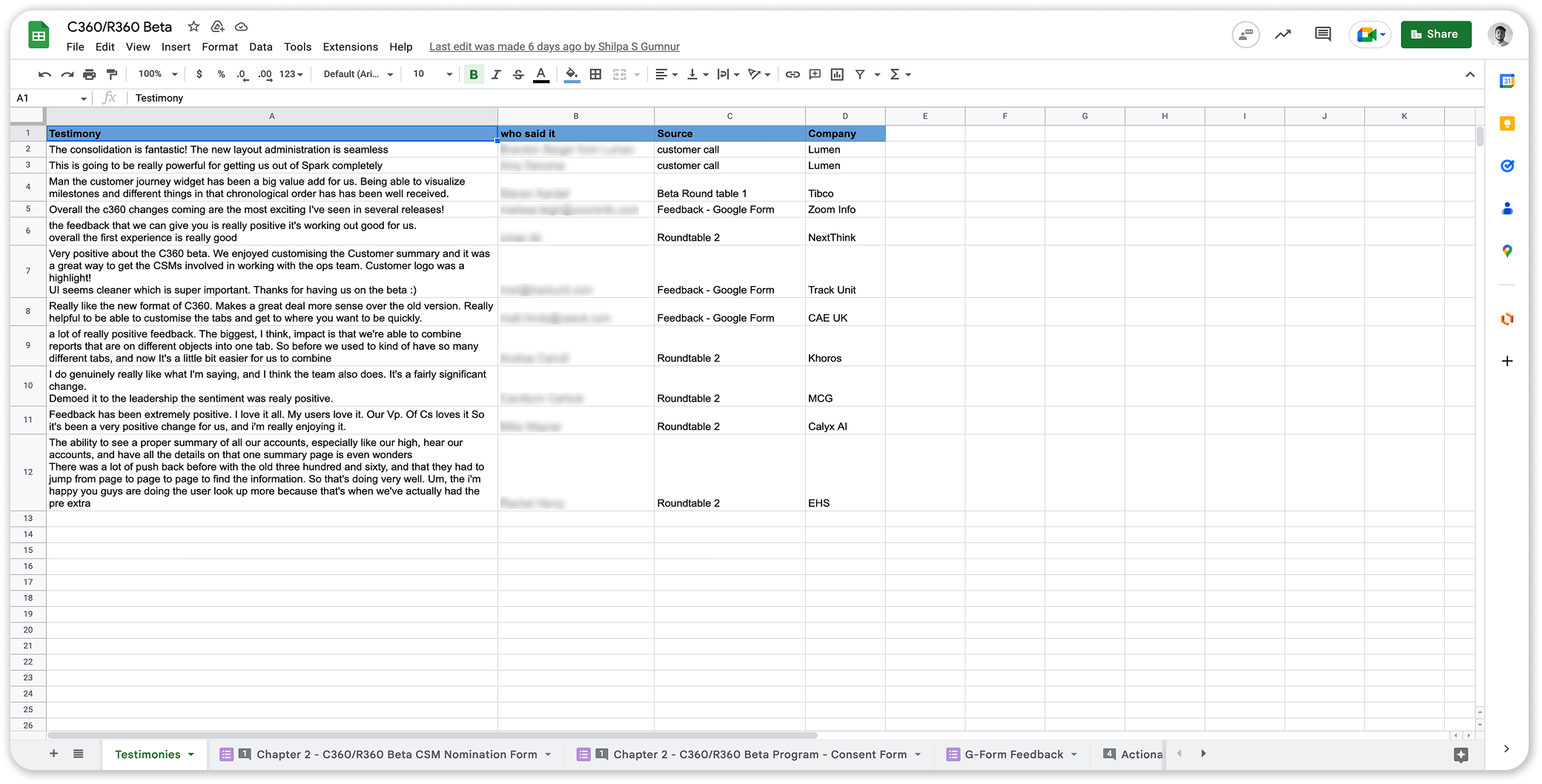
Beta to Production

By leveraging a carefully orchestrated beta release, we actively gathered feedback to refine and add the finishing touches. The culmination of this process led to a final launch that received overwhelmingly positive feedback, profoundly elevating the user experience.
Beta feedback spreadsheet
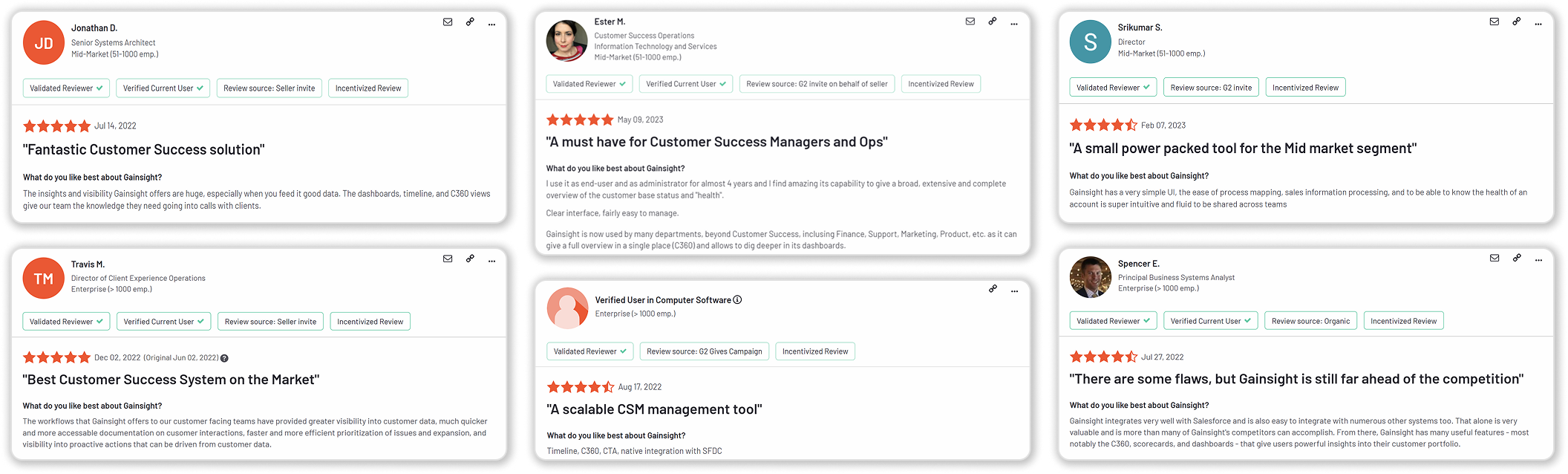
Post-Launch G2 Reviews

The new C360 landed well.

G2 customer reviews
Closing Thoughts
"Coordinating with diverse stakeholders, diligent defense of my designs, and taking accountability for any missteps, taught me many critical skills required to excel in the industry as a designer."

The unique opportunity to work on the redesign of a high value product allowed me to see how products are built from the ground up, the constraints I have to work with, and how I can positively influence change.

Closing illustration